Ubuntu安装Nginx步骤方法
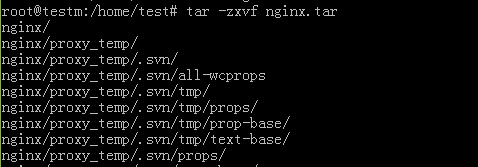
1、将nignx.tar 复制到服务器目录,然后将nginx.tar 解压如图:
tar -zxvf nginx.tar
2、解压完成后将nginx文件夹复制到/usr/local/目录。

3、将nginx/sbin/libpcre.so.1 文件复制到/lib/i386-linux-gnu/目录
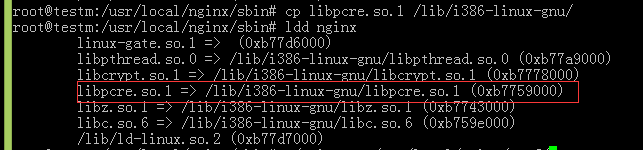
4、检验是否成功
root@testm:# cd /usr/local/nginx/sbin
root@testm:# ./nginx -t

5、启动nginx
[root@localhost sbin]# ./nginx -c /usr/local/nginx/conf/nginx.conf
查看端口
[root@localhost sbin]# netstat –ntlp
修改端口
[root@localhost /]# cd /usr/local/nginx/conf
[root@localhost conf]# vi nginx.conf
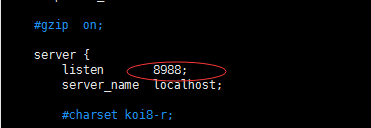
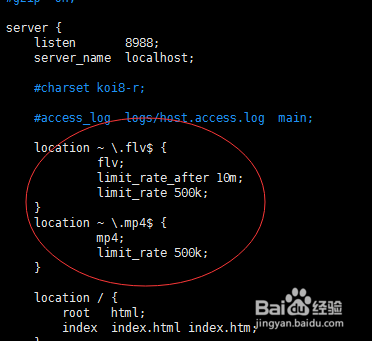
6、修改配置文件,然后重启nginx。
声明:本网站引用、摘录或转载内容仅供网站访问者交流或参考,不代表本站立场,如存在版权或非法内容,请联系站长删除,联系邮箱:site.kefu@qq.com。
阅读量:97
阅读量:180
阅读量:89
阅读量:138
阅读量:166