Arc touch 鼠标声音关闭问题
1、点击电脑或平板上的“商店”应用。
Step 1: From the Start screen, tap or click Store.

2、请登录个人微软账户。(如没有个人账户,请先行注册)
Step 2: Make sure you’re signed in with your Microsoft account.
3、在商店应用右上角的搜索栏中,
键入:“Arc Touch Mouse Surface Edition Settings“
Step 3: In the search box, enter
Arc Touch Mouse Surface Edition Settings.
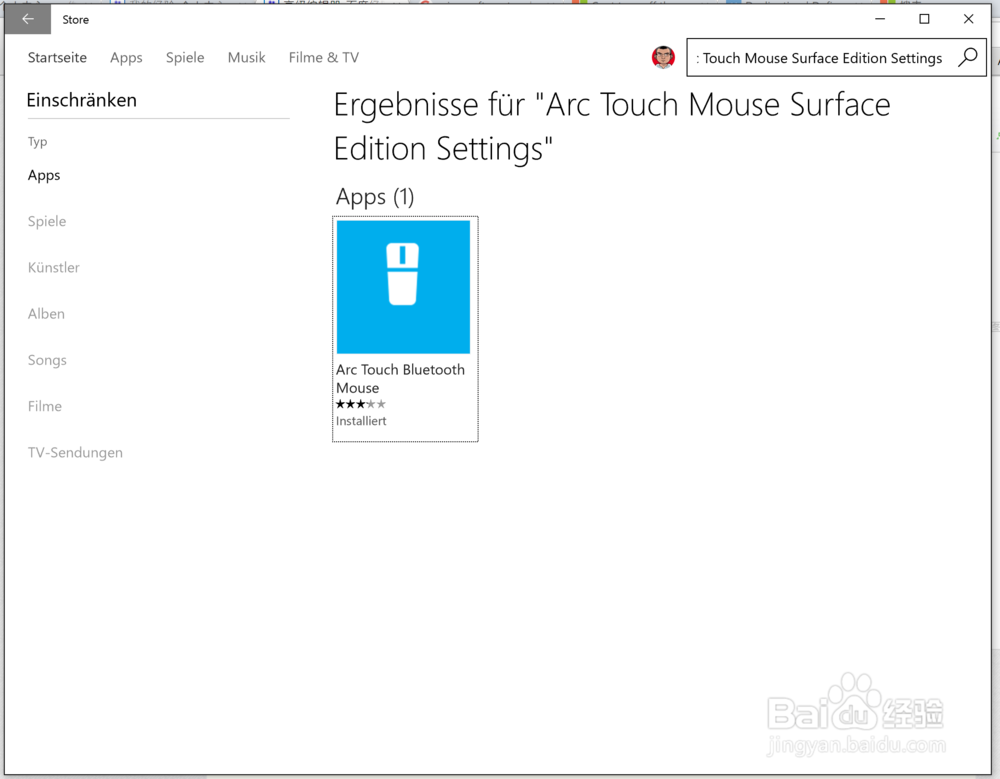
4、点击此应用进行下载和安装(属于免费应用)
Step 4: Tap or click the tile for the app, then tap or click Install.
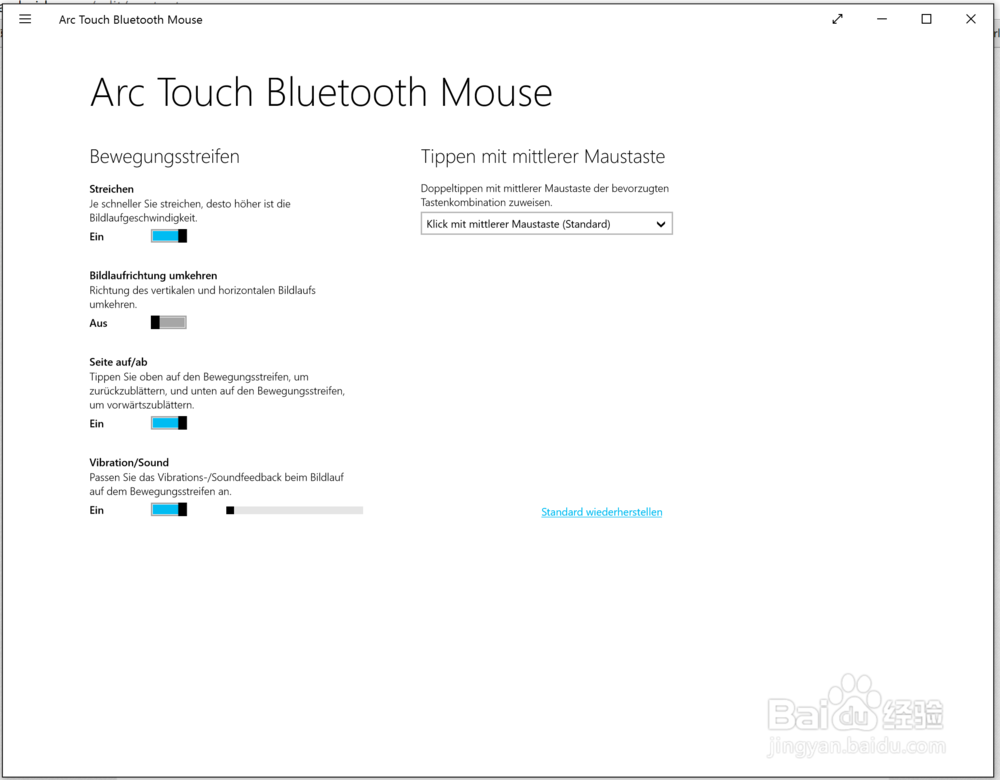
5、安装完成后,单击打开,便可对鼠标属性进行设置,其中包括,关闭或调节滚轮声音一项。(最后一项设置)
Step 5: click the app to open, then click the option Vibration/Sound.
声明:本网站引用、摘录或转载内容仅供网站访问者交流或参考,不代表本站立场,如存在版权或非法内容,请联系站长删除,联系邮箱:site.kefu@qq.com。
阅读量:93
阅读量:87
阅读量:185
阅读量:119
阅读量:83