帧中继Frame Relay
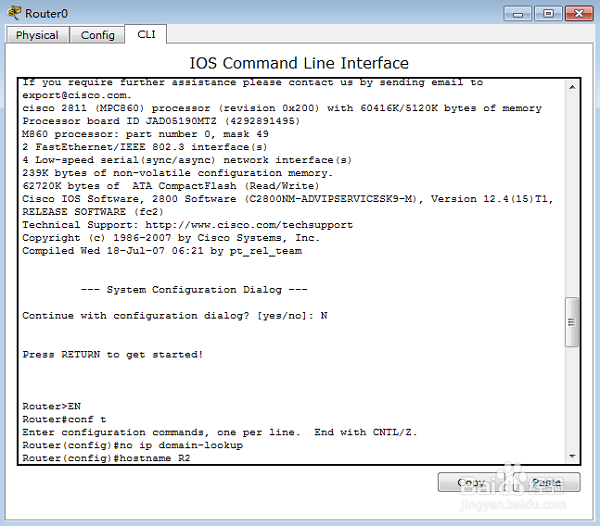
1、配置R2
Router>EN 进入特权配置模式
Router#conf t 进入全局配置模式
Router(config)#no ip domain-lookup 取消名称解析
Router(config)#hostname R2 配置路由器的名字
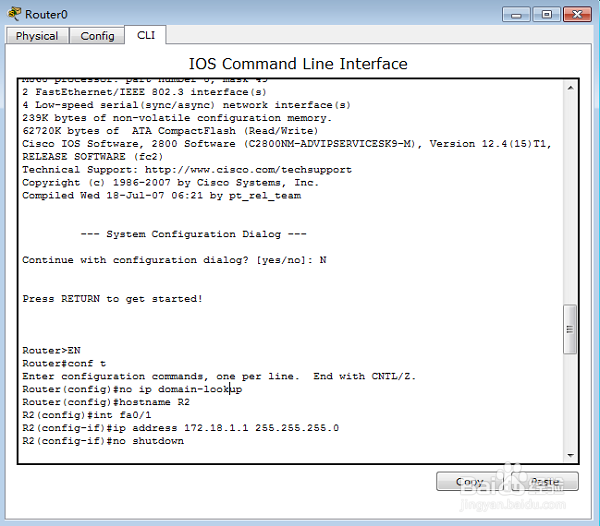
2、R2(config)#int fa0/1 进入接口配置模式
R2(config-if)#ip address 172.18.1.1 255.255.255.0 配置ip地址
R2(config-if)#no shutdown 激活端口
3、R2(config-if)#
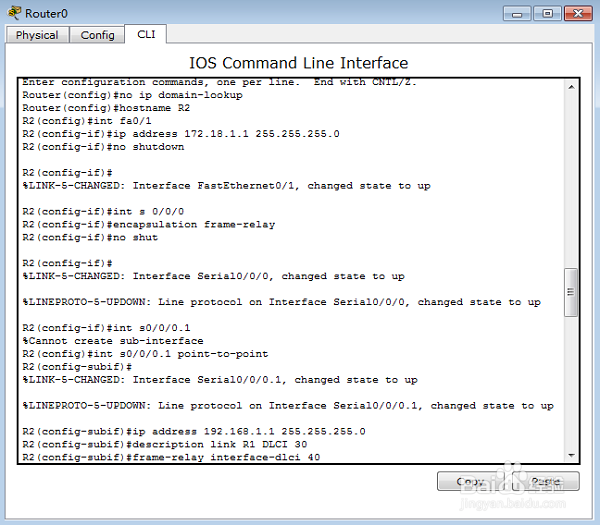
R2(config-if)#int s 0/0/0 进入接口配置模式
R2(config-if)#encapsulation frame-relay
对串口serial0/3/0进行frame-relay封装
R2(config-if)#no shut 激活端口

4、R2(config-if)#
R2(config)#int s0/0/0.1 point-to-point 进入串口的子接口配置模式
R2(config-subif)#
R2(config-subif)#ip address 192.168.1.1 255.255.255.0 为子接口配置IP地址
R2(config-subif)#description link R1 DLCI 30 为子接口添加描述
R2(config-subif)#frame-relay interface-dlci 40 配置DLCI(数据链路连接标识)
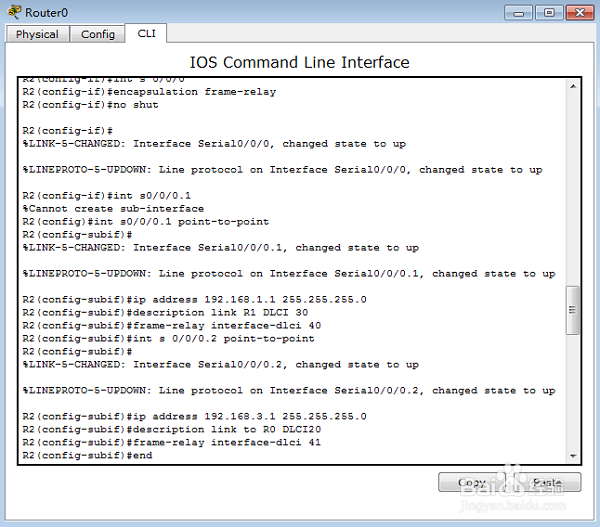
5、R2(config-subif)#int s 0/0/0.2 point-to-point 进入串口的子接口配置模式
R2(config-subif)#
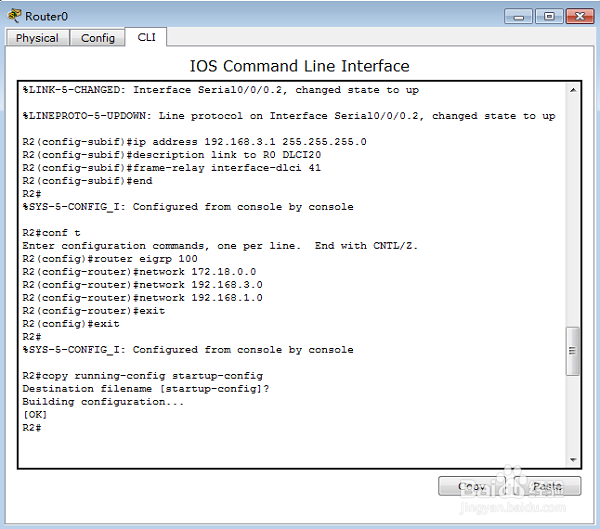
R2(config-subif)#ip address 192.168.3.1 255.255.255.0 为子接口配置IP地址
R2(config-subif)#description link to R0 DLCI20 为子接口添加描述
R2(config-subif)#frame-relay interface-dlci 41 配置DLCI(数据链路连接标识)
R2(config-subif)#end
6、R2#
R2#conf t
R2(config)#router eigrp 100 在路由器上启用EIGRP路由协议
R2(config-router)#network 172.18.0.0 通告与自己直接连的网段
R2(config-router)#network 192.168.3.0
R2(config-router)#network 192.168.1.0
R2(config-router)#exit
R2(config)#exit
R2#
R2#copy running-config startup-config 保存配置
R2#
7、配置Cloud0分别对应三个路由器。
第一步:选择端口

8、配置Cloud0分别对应三个路由器。
第二步:填写DLCI和NAME
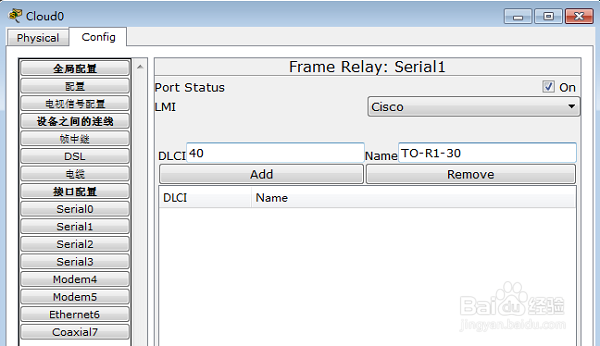
9、配置Cloud0分别对应三个路由器。
第三步:添加
