#过年#PowerPoint设置雄鸡报晓迎新年背景
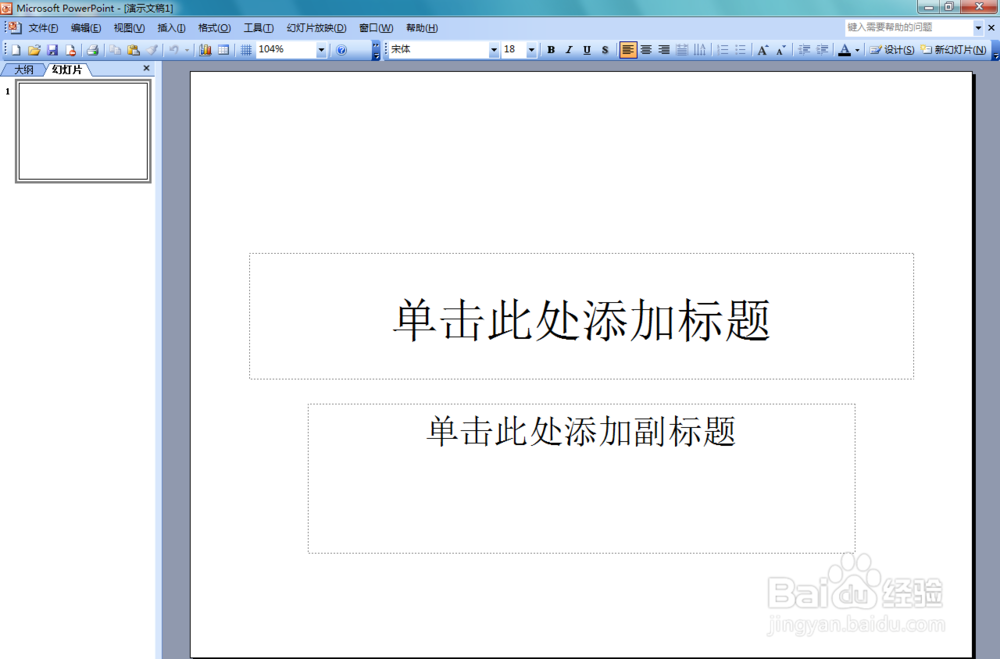
1、打开PowerPoint 2003这款软件,进入excel 2003的操作界面,如图所示:
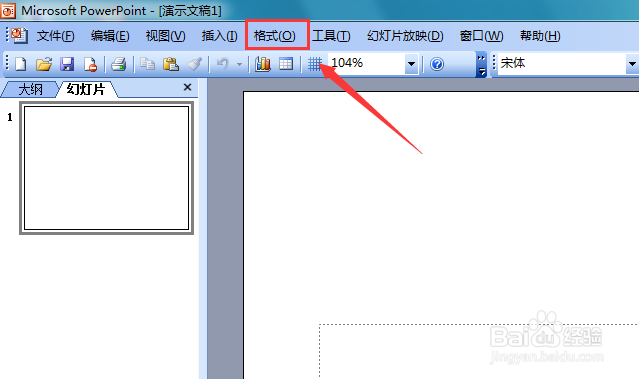
2、在该界面内找到格式菜单,如图所示:
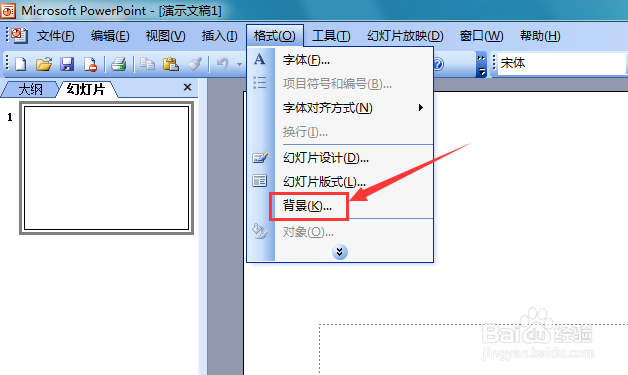
3、点击格式菜单,在其子级菜单里找到背景选项,如图所示:
4、点击背景选项,弹出背景对话框,如图所示:
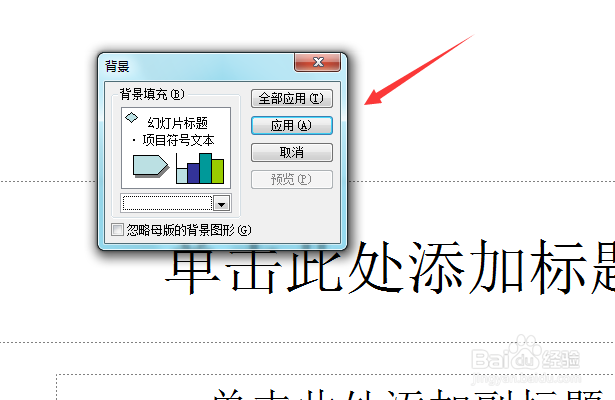
5、在该对话框内找到颜色设置选项,点击后在其下拉列表里找到填充效果选项,如图所示:
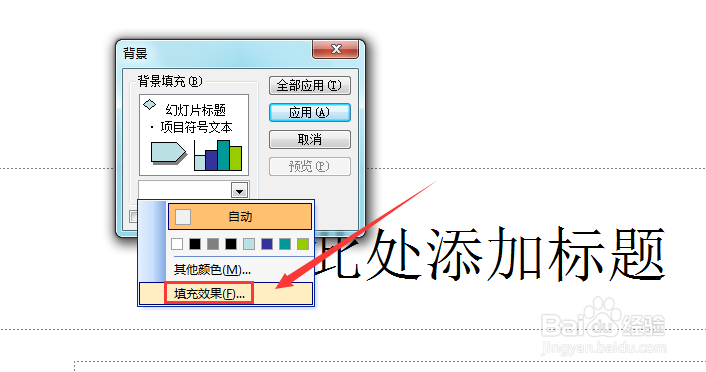
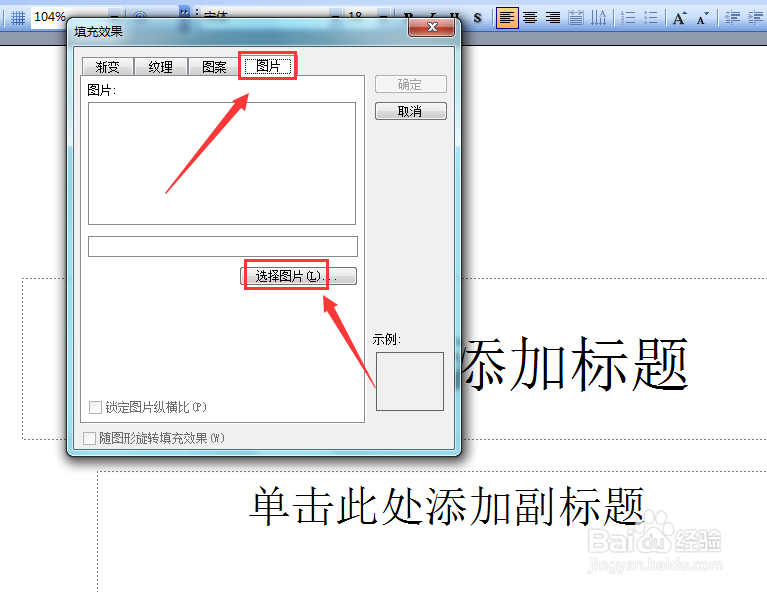
6、点击填充效果选项,进入填充效果对话框,在该对话框内找到图片选项,点击图片在其内找到选择图片选项,如图所示:
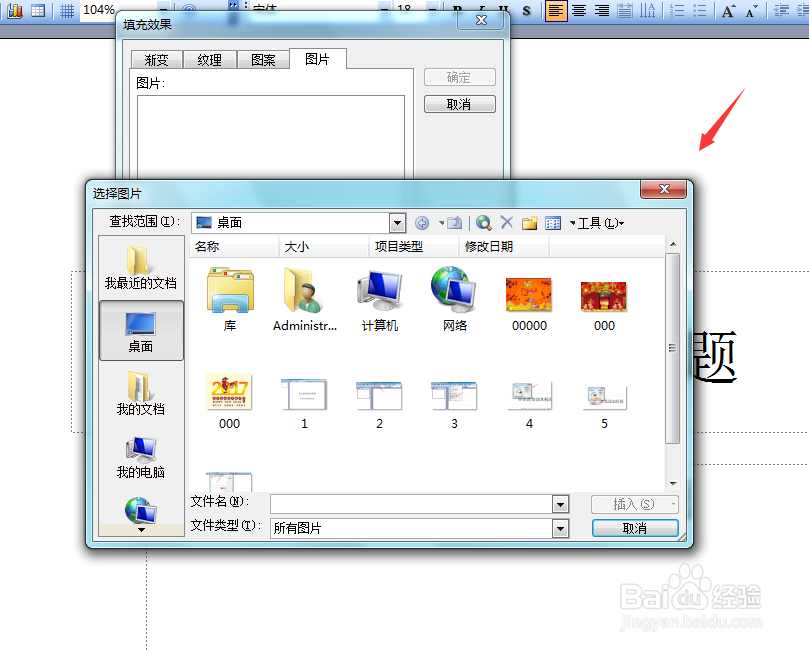
7、点击选择图片选项,弹出选择图片对话框,如图所示:
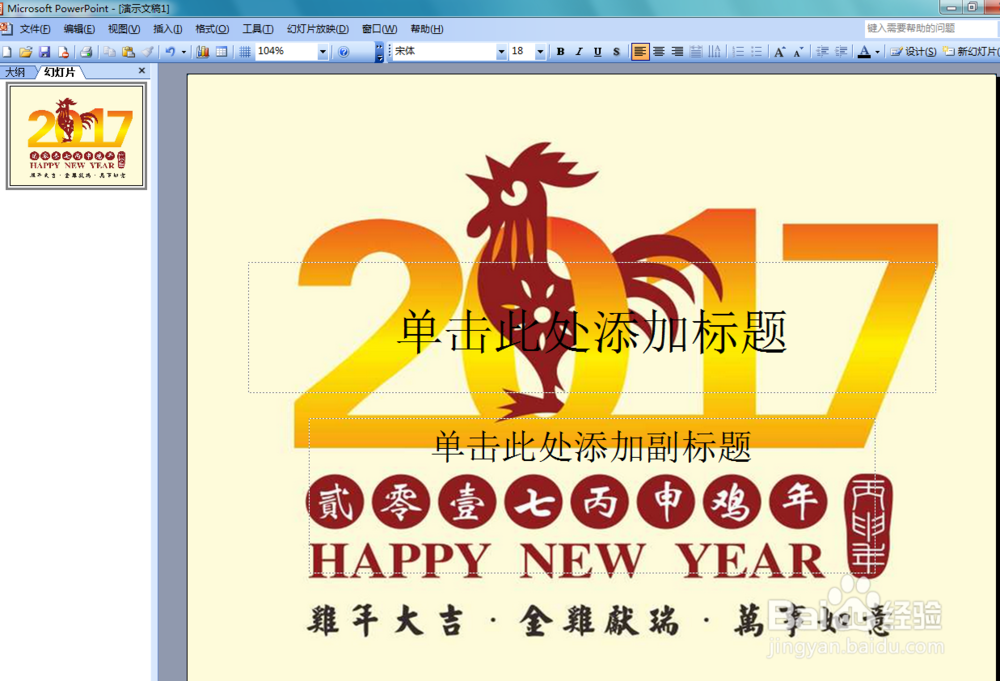
8、选择我们的新年祝福语图片,点击插入进入背景对话框,在北京对话框内找到应用选项,如图所示:
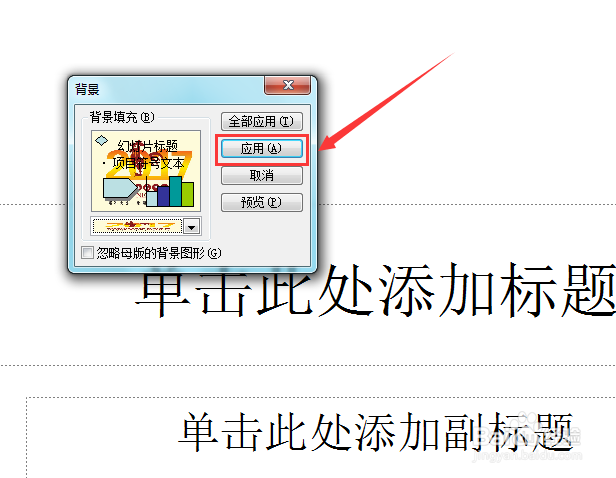
9、点击应用选项,我们的背景效果就设置完成了,如图所示:
声明:本网站引用、摘录或转载内容仅供网站访问者交流或参考,不代表本站立场,如存在版权或非法内容,请联系站长删除,联系邮箱:site.kefu@qq.com。
阅读量:33
阅读量:142
阅读量:133
阅读量:132
阅读量:165