如何在html/jsp页面显示系统时间
1、首先,在javascript中定义一个方法,这里取名为 time(),在方法中new 一个Date对象:var date=new Date();
2、通过date 对象分别获取 年,月,日,时,分,秒:
var year=date.getFullYear();
var month=date.getMonth()+1; var day=date.getDate(); var hour=date.getHours(); var minute=date.getMinutes(); var second=date.getSeconds();
3、这样获取的时间对象,数值是等于系统时间的,但是却与我们的习惯不太一样,如:2016-6-1 13:6:5,外面应该让其这样显示:2016-06-01 13:06:05,所以,我们还要加些判断:
var year=date.getFullYear(); var month=date.getMonth()+1; if(month<10){month="0"+month} var day=date.getDate(); if(day<10){day="0"+day} var hour=date.getHours(); if(hour<10){hour="0"+hour} var minute=date.getMinutes(); if(minute<10){minute="0"+minute} var second=date.getSeconds(); if(second<10){second="0"+second}
4、将时间以你想要的格式显示在你想让它出现的位置:
document.getElementById("timearea").innerHTML=year+"-"+month+"-"+day+" "+hour+":"+minute+":"+second;
5、每隔一定时间重新调用一次方法,刷新时间,这里是1000ms:
t=window.setTimeout(function(){time()},1000);
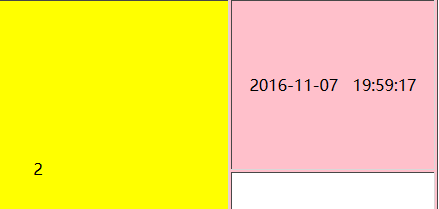
一个简易时钟便完成了,效果如下:
6、最后将完整代码在贴一遍,希望对你有用:
function time(){ var date=new Date(); var year=date.getFullYear(); var month=date.getMonth()+1; if(month<10){month="0"+month} var day=date.getDate(); if(day<10){day="0"+day} var hour=date.getHours(); if(hour<10){hour="0"+hour} var minute=date.getMinutes(); if(minute<10){minute="0"+minute} var second=date.getSeconds(); if(second<10){second="0"+second} document.getElementById("timearea").innerHTML=year+"-"+month+"-"+day+" "+hour+":"+minute+":"+second; t=window.setTimeout(function(){time()},1000); }