Microsoft Word has stopped working
1、软件版本: Microsoft Office Professional Plus 2013

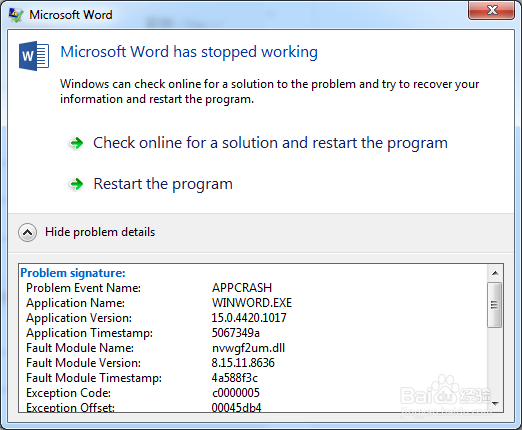
2、Microsoft Word 错误提示:“Microsoft Word has stopped working”. 问题描述:APPCRASH nvwgf2um.dll ,如下图;
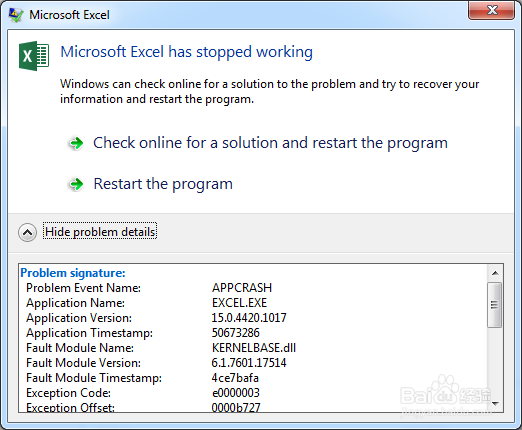
3、Microsoft Excel 错误提示:“Microsoft Excel has stopped working”. 问题描述:APPCRASH KERNELBASE.dll ,如下图;
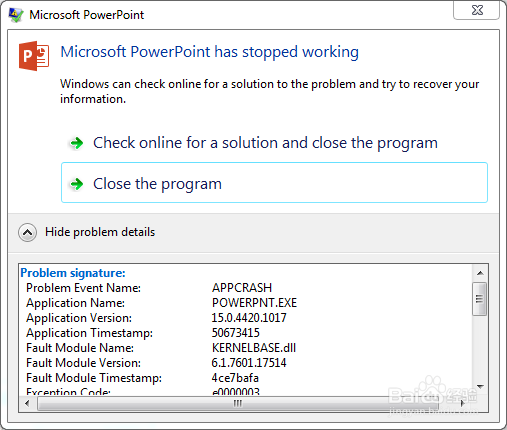
4、Microsoft PowerPoint 错误提示:“Microsoft PowerPoint has stopped working”. 问题描述:APPCRASH KERNELBASE.dll ,如下图;
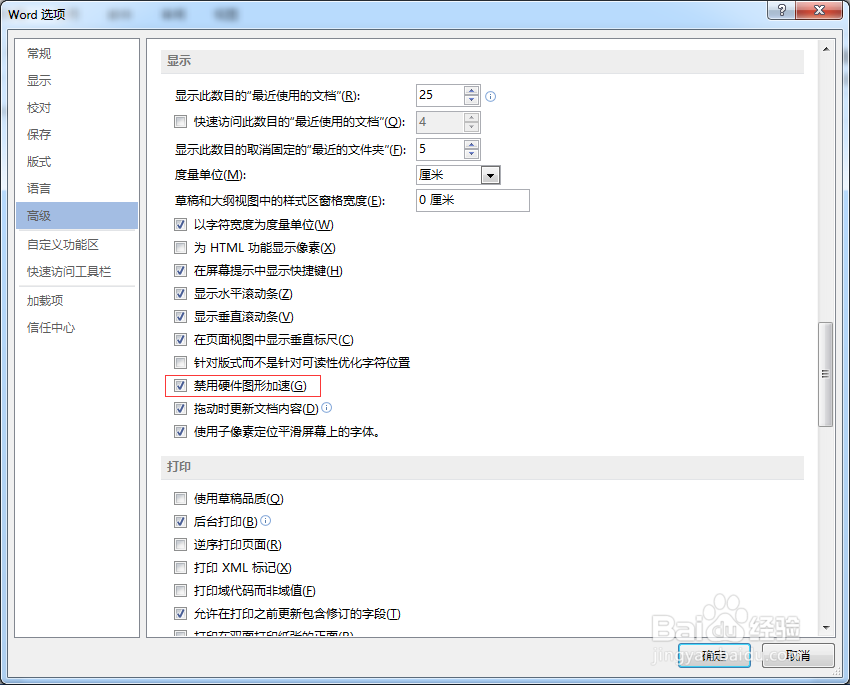
1、Microsoft Word >文件 > 选项 > 高级 > 显示 >勾选"禁用硬件图形加速" 。
1、设置加载项
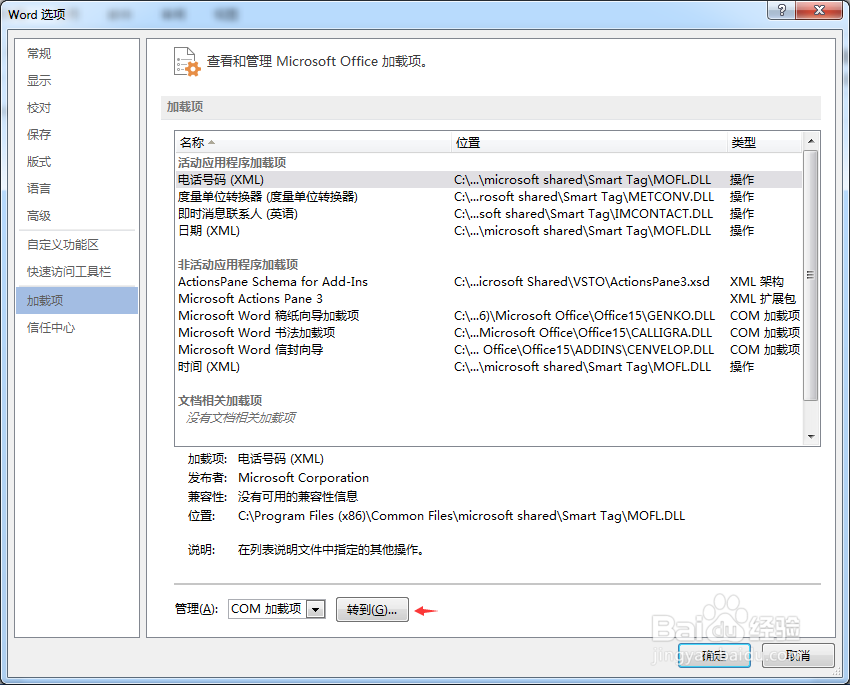
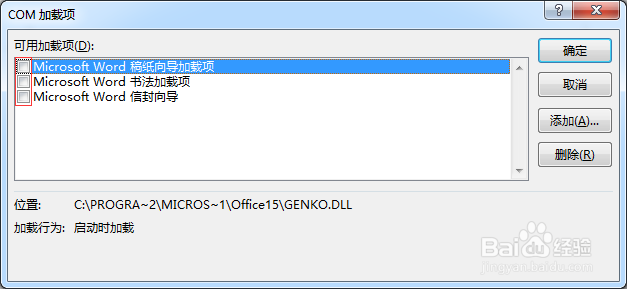
2、信任中心、宏设置
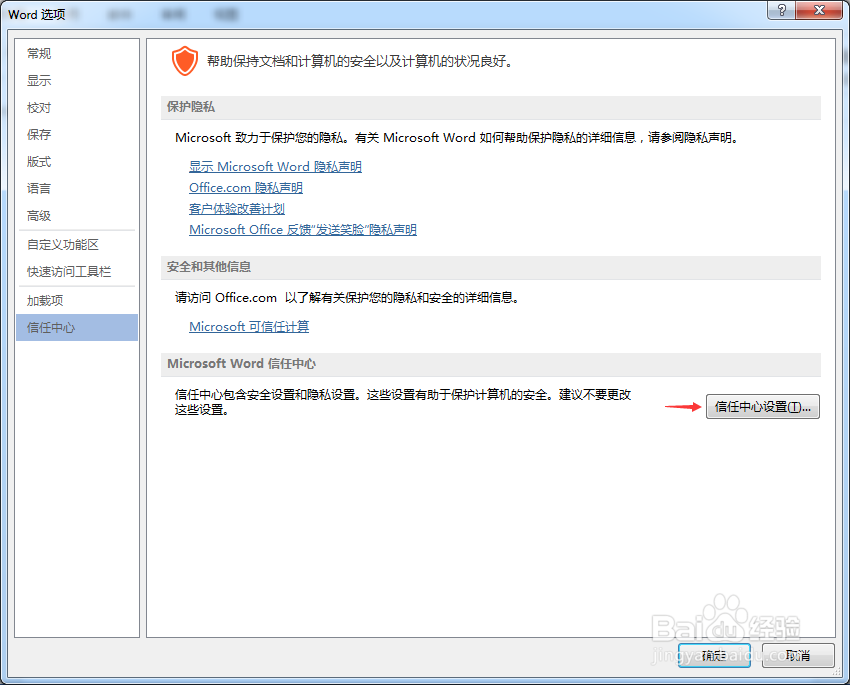
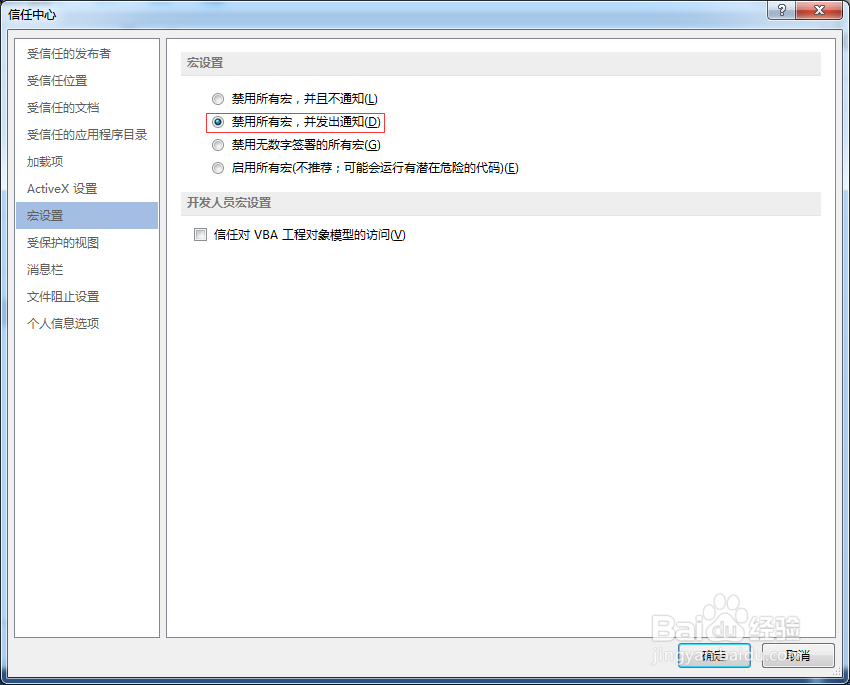
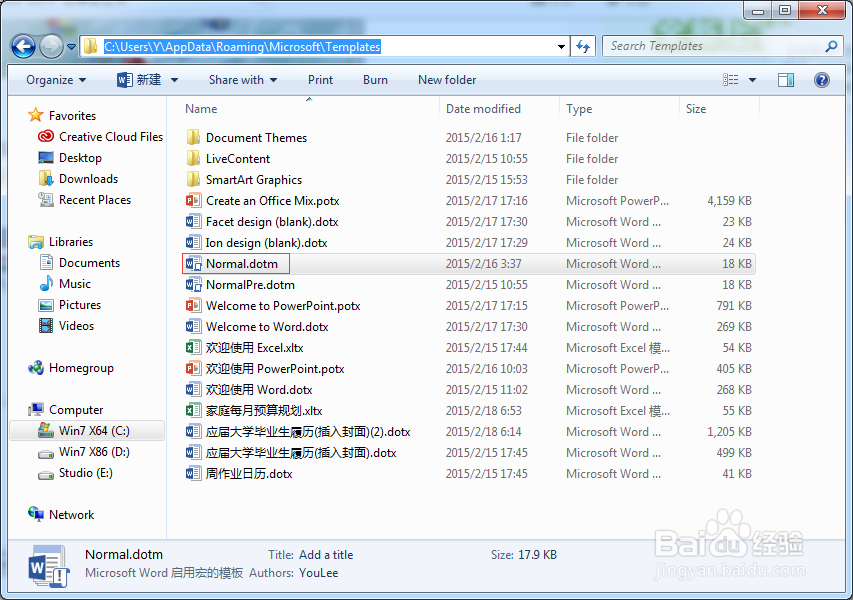
3、预设模版问题 Normal
声明:本网站引用、摘录或转载内容仅供网站访问者交流或参考,不代表本站立场,如存在版权或非法内容,请联系站长删除,联系邮箱:site.kefu@qq.com。