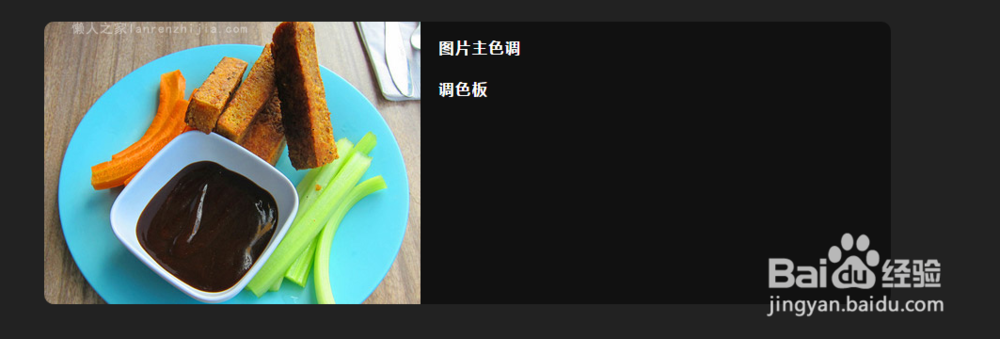
如何使用jquery插件截取图片颜色调
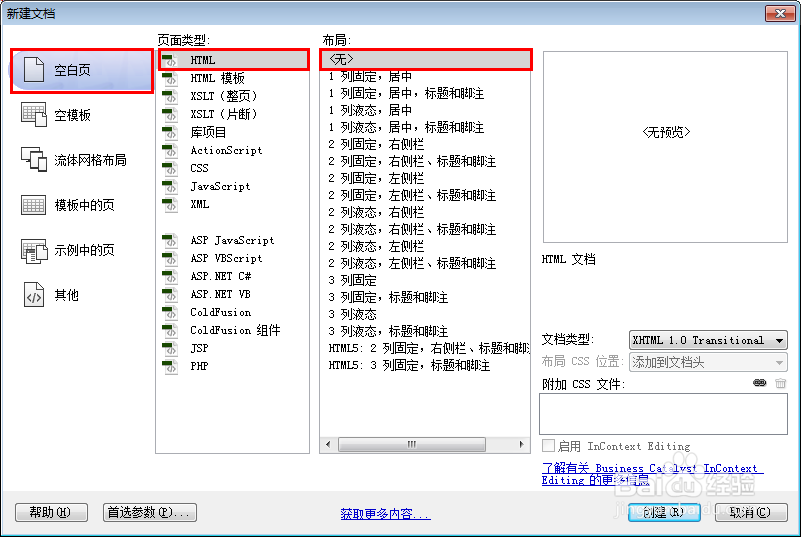
1、新建html文档。
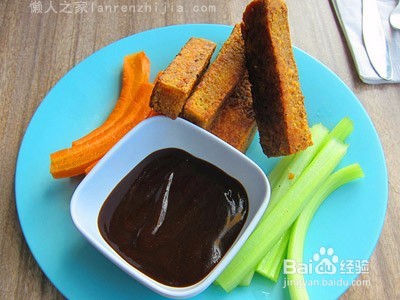
2、准备好需要用到的调色图篇。
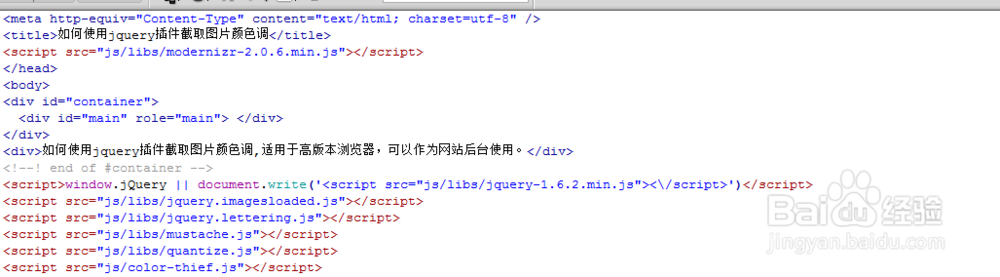
3、书写hmtl代码。
<div id="container">
<div id="main" role="main"> </div>
</div>
<div>如何使用jquery插件截取图片颜色调,适用于高版本浏览器,可以作为网站后台使用。</div>

4、书写css代码。
.medianCutPalette h3 { margin-top: 20px; }
.imageSection { margin-bottom: 80px; background: #111111; -moz-border-radius: 10px; -webkit-border-radius: 10px; -o-border-radius: 10px; -ms-border-radius: 10px; -khtml-border-radius: 10px; border-radius: 10px; }
.imageSection .imageWrap { -moz-border-radius-topleft: 10px; -webkit-border-top-left-radius: 10px; -o-border-top-left-radius: 10px; -ms-border-top-left-radius: 10px; -khtml-border-top-left-radius: 10px; border-top-left-radius: 10px; -moz-border-radius-bottomleft: 10px; -webkit-border-bottom-left-radius: 10px; -o-border-bottom-left-radius: 10px; -ms-border-bottom-left-radius: 10px; -khtml-border-bottom-left-radius: 10px; border-bottom-left-radius: 10px; width: 400px; height: 300px; float: left; margin-right: 20px; background: url(../images/dark_checkered_bg.png); }
.imageSection .imageWrap .targetImage { -moz-border-radius-topleft: 10px; -webkit-border-top-left-radius: 10px; -o-border-top-left-radius: 10px; -ms-border-top-left-radius: 10px; -khtml-border-top-left-radius: 10px; border-top-left-radius: 10px; -moz-border-radius-bottomleft: 10px; -webkit-border-bottom-left-radius: 10px; -o-border-bottom-left-radius: 10px; -ms-border-bottom-left-radius: 10px; -khtml-border-bottom-left-radius: 10px; border-bottom-left-radius: 10px; }
.imageSection .colors { margin-top: 20px; width: 400px; float: left; }
.imageSection .colors .function { clear: left; margin-bottom: 10px; }
.imageSection .colors .function .swatches .swatch { width: 40px; height: 20px; margin-right: 2px; background: #dddddd; float: left; -moz-transition: all 0.5s; -webkit-transition: all 0.5s; -o-transition: all 0.5s; transition: all 0.5s; }
.imageSection .colors .function .swatches .swatch:hover { -moz-transition: none; -webkit-transition: none; -o-transition: none; transition: none; -moz-transform: scale(1.2, 1.2); -webkit-transform: scale(1.2, 1.2); -o-transform: scale(1.2, 1.2); -ms-transform: scale(1.2, 1.2); transform: scale(1.2, 1.2); -moz-box-shadow: 0 1px 10px black; -webkit-box-shadow: 0 1px 10px black; -o-box-shadow: 0 1px 10px black; box-shadow: 0 1px 10px black; }
.imageSection .colors .function .swatches .swatch:first-child { -moz-border-radius-topleft: 4px; -webkit-border-top-left-radius: 4px; -o-border-top-left-radius: 4px; -ms-border-top-left-radius: 4px; -khtml-border-top-left-radius: 4px; border-top-left-radius: 4px; -moz-border-radius-bottomleft: 4px; -webkit-border-bottom-left-radius: 4px; -o-border-bottom-left-radius: 4px; -ms-border-bottom-left-radius: 4px; -khtml-border-bottom-left-radius: 4px; border-bottom-left-radius: 4px; }
.imageSection .colors .function .swatches .swatch:last-child { -moz-border-radius-topright: 4px; -webkit-border-top-right-radius: 4px; -o-border-top-right-radius: 4px; -ms-border-top-right-radius: 4px; -khtml-border-top-right-radius: 4px; border-top-right-radius: 4px; -moz-border-radius-bottomright: 4px; -webkit-border-bottom-right-radius: 4px; -o-border-bottom-right-radius: 4px; -ms-border-bottom-right-radius: 4px; -khtml-border-bottom-right-radius: 4px; border-bottom-right-radius: 4px; }
.fbIcon .imageWrap .targetImage { -moz-border-radius: 0; -webkit-border-radius: 0; -o-border-radius: 0; -ms-border-radius: 0; -khtml-border-radius: 0; border-radius: 0; position: relative; top: 142px; left: 192px; }
canvas { display: none; }

5、书写并添加js代码。
<script>window.jQuery || document.write('<script src="js/libs/jquery-1.6.2.min.js"><\/script>')</script>
<script src="js/libs/jquery.imagesloaded.js"></script>
<script src="js/libs/jquery.lettering.js"></script>
<script src="js/libs/mustache.js"></script>
<script src="js/libs/quantize.js"></script>
<script src="js/color-thief.js"></script>

6、代码整体结构。
7、查看效果。