mac怎么让窗口置顶
1、网盘下载下来总共有三个文件:SIMBL-0.9.9. SIMBLAgent.app Afloat.bundle
关闭sip后重启系统,下扬侮载好SIMBL-0.9.9并放在下载里,打开终端复制粘贴以下:
sudo installer -verbose -pkg Downloads/SIMBL-0.9.9/SIMBL-0.9.9.pkg -target /
sudo rm -rf /System/Library/ScriptingAdditions/SIMBL.osax
sudo mv /Library/ScriptingAdditions/SIMBL.osax /System/Library/ScriptingAdditions/
sudo cp -p /System/Library/ScriptingAdditions/SIMBL.osax/Contents/Resources/SIMBL<span class="pl-cce" style="box-sizing: border-box;"> </span>Agent.app/Contents/Resources/net.culater.SIMBL.Agent.plist /System/Library/LaunchAgents/
sudo sed -e <span class="pl-s" style="box-sizing: border-box;"><span class="pl-pds" style="box-sizing: border-box;">"</span>s/Library/System/Library/<span class="pl-pds" style="box-sizing: border-box;">"</span></span> -i <span class="pl-s" style="box-sizing: border-box;"><span class="pl-pds" style="box-sizing: border-box;">"</span><span class="pl-pds" style="box-sizing: border-box;">"</span></span> /System/Library/LaunchAgents/net.culater.SIMBL.Agent.plist
2、出现以下字样就说鉴泰注明成功了

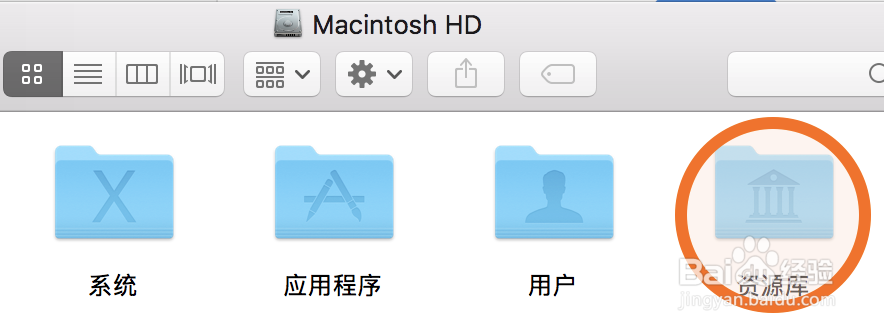
3、进入资源库(Library),不是system/library也不是user/library
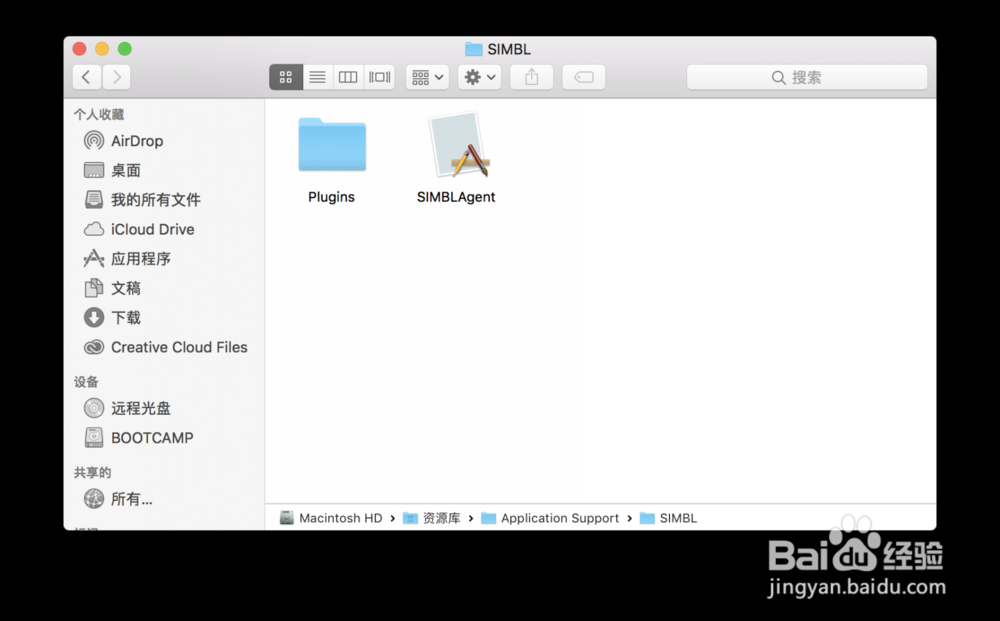
4、打开Application Support/SIMBL,把下载好的SIMBLAgent文攀盆件拖进去
5、打开 SIMBL/Plugins,把下载好的Afloat.bundle文件拖进去
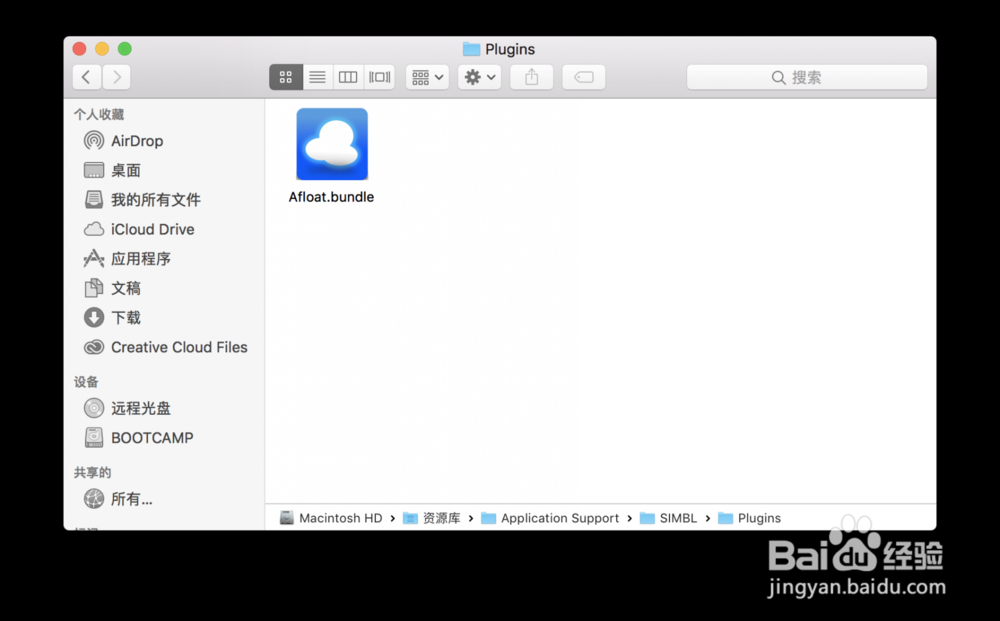
6、做好这几步后重启,进入Application Support/SIMBL/Plugins,双击 SIMBLAgent 文件。到这里就已经成功了。
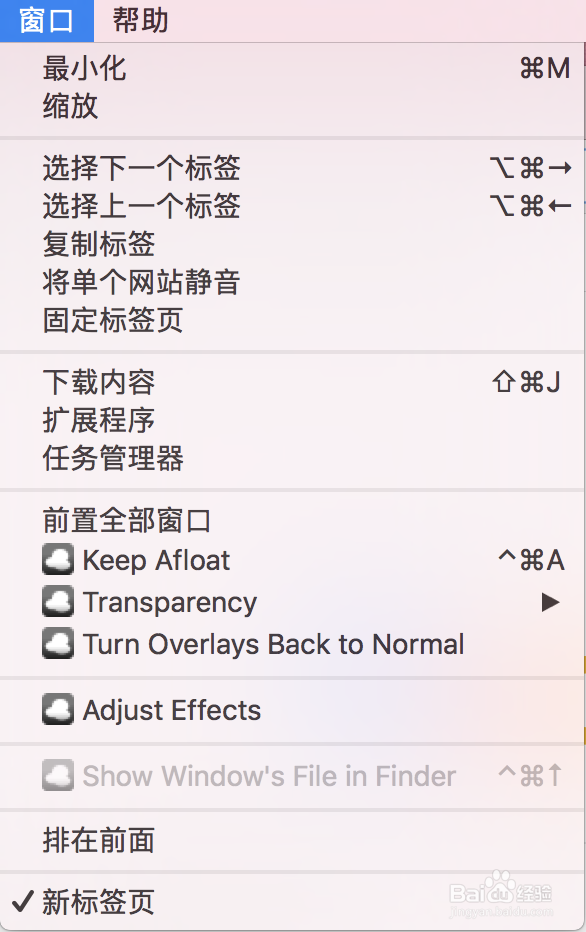
随意打开一个软件,选择窗口/window,会多出几个选项(如下图)
keep afloat就是窗口置顶
transparency是窗口可以半透明
adjust effects打开是个小窗口,可以调更多的效果比如:
●透明程度
●make it opaque while I'm working with it: 勾选了这个后,当鼠标移动到半透明的窗口上时取消透明
●overlay:直接将窗口半透明并且忽视鼠标点击,turn overlays back to normal可以取消这个效果