百度App好运中国年活动获得红包怎么提现
1、点击“百度”。
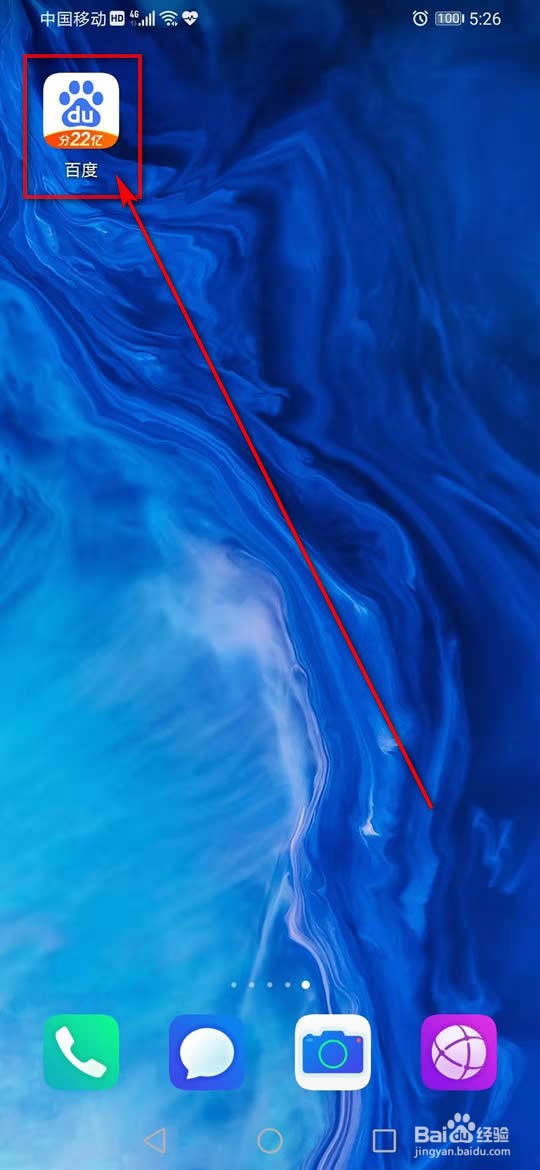
2、点击“我的”。
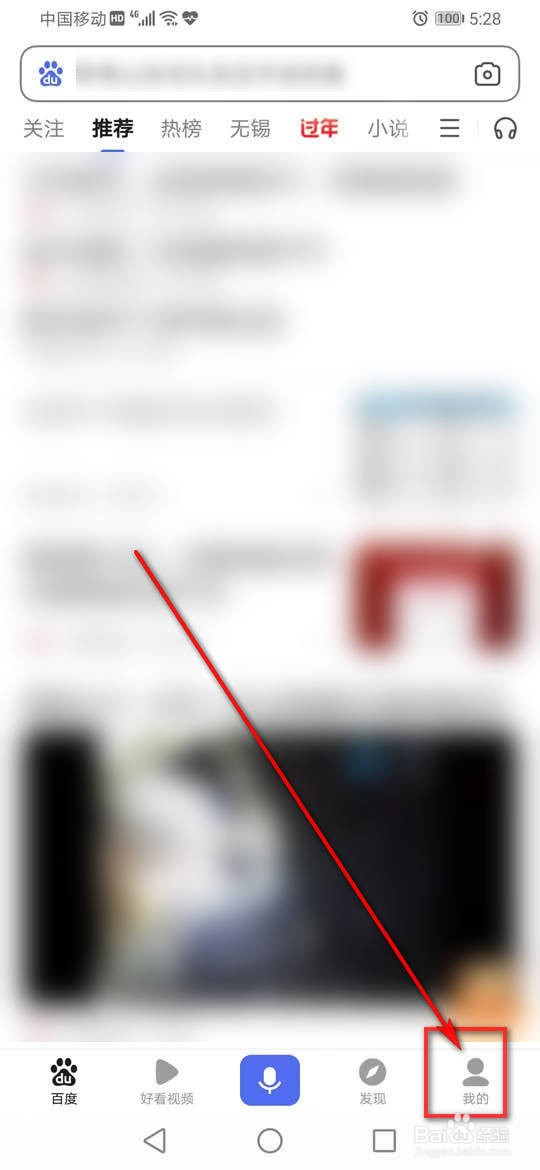
3、点击小程序旁的“更多>”。
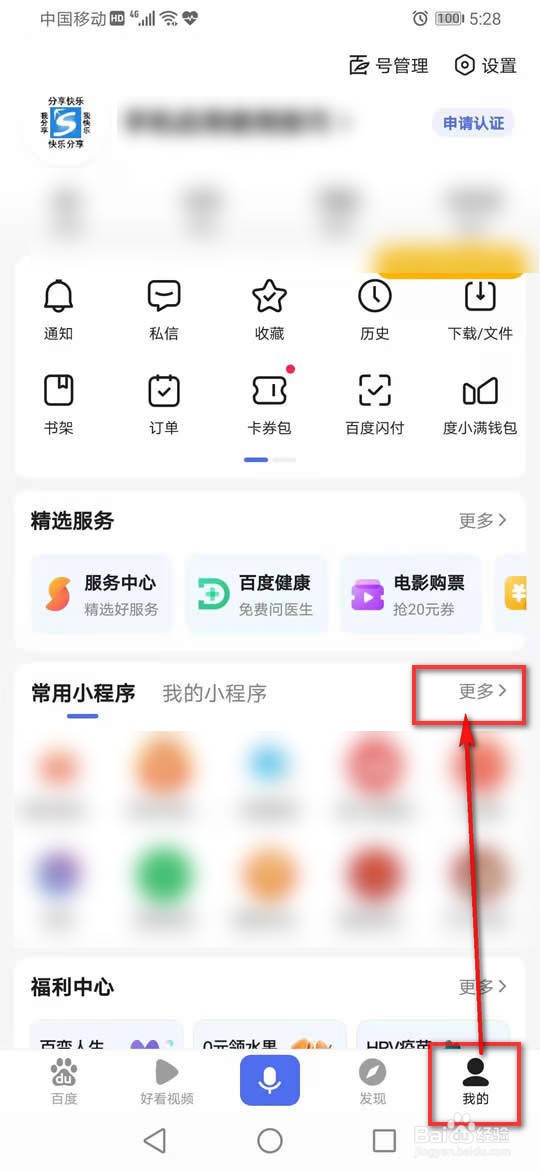
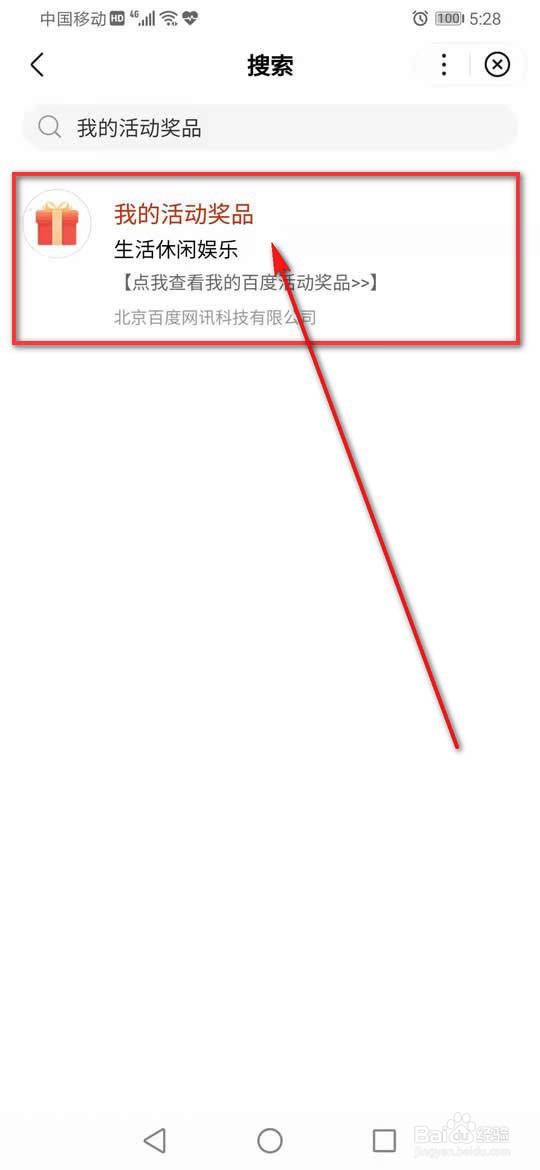
4、搜索框输入“我的活动奖品”,点击“搜索”。
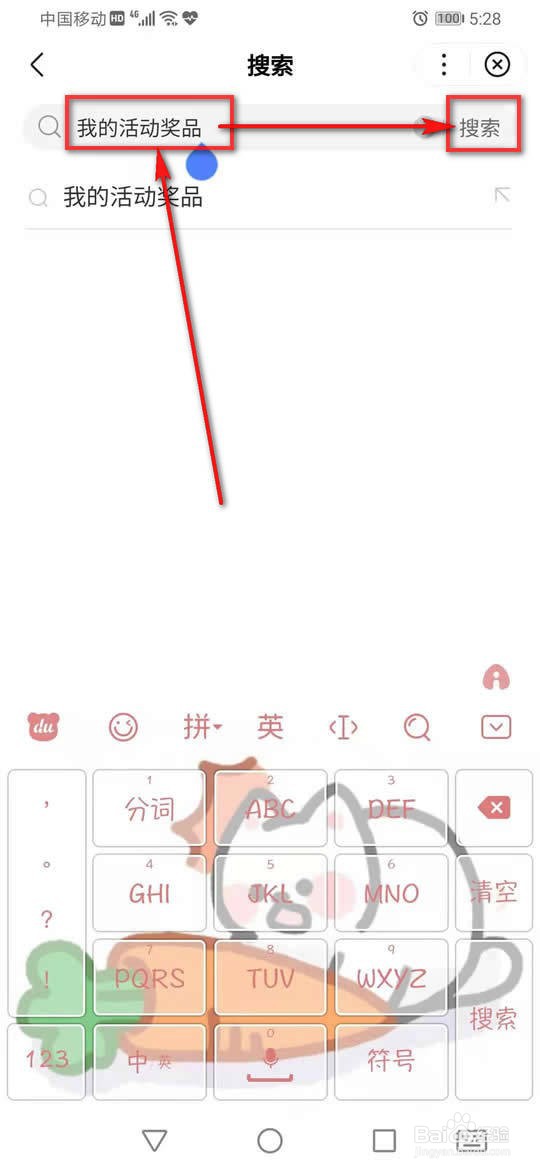
5、点击“我的活动奖品”。
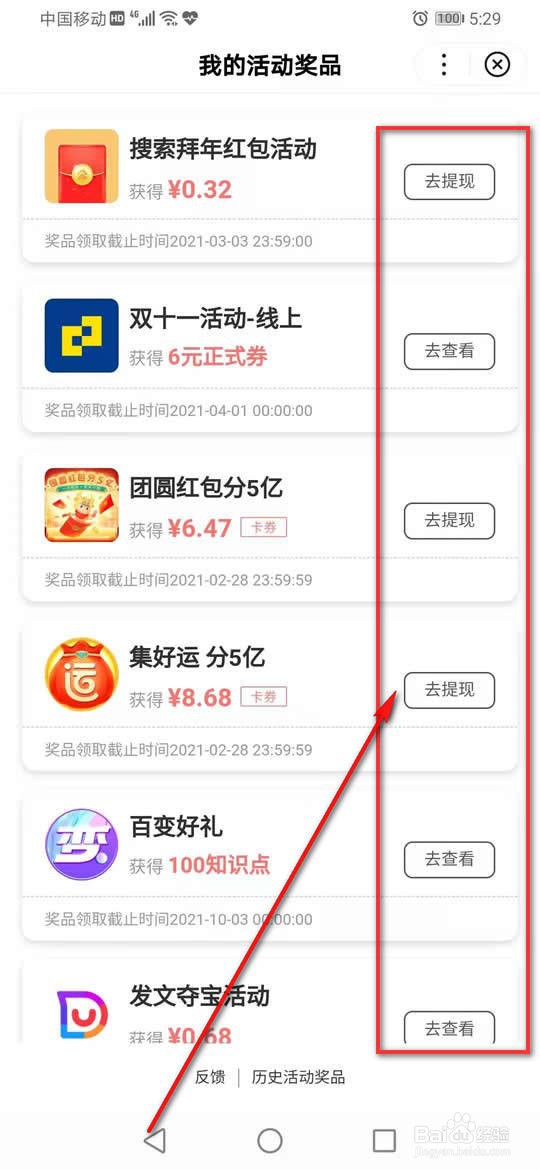
6、此处罗列了所有参与活动的奖品,点击需要提现活动旁的“去提现”。
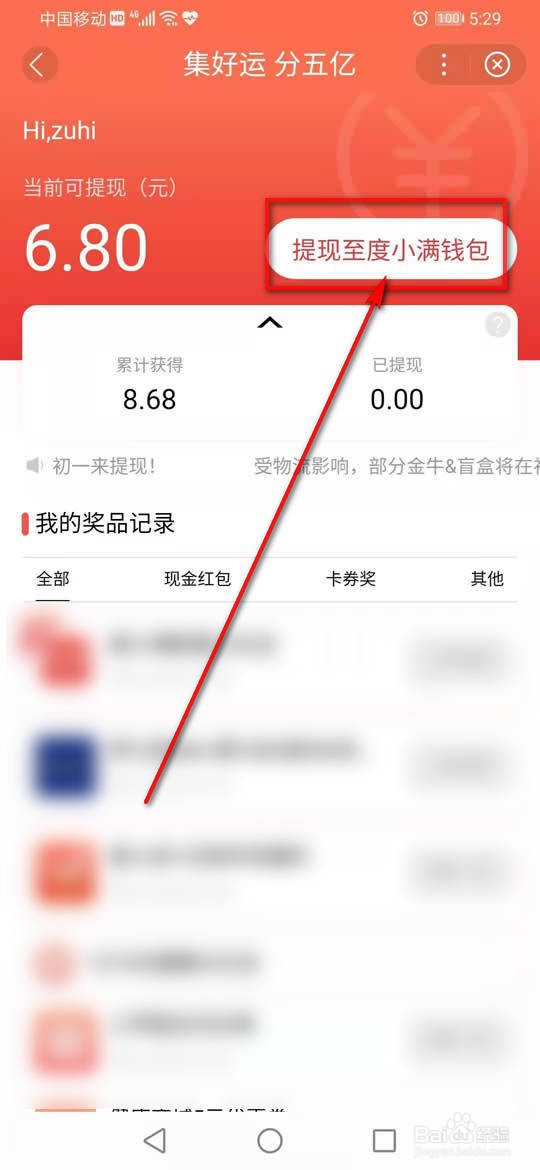
7、点击“提现至度小满钱包”。
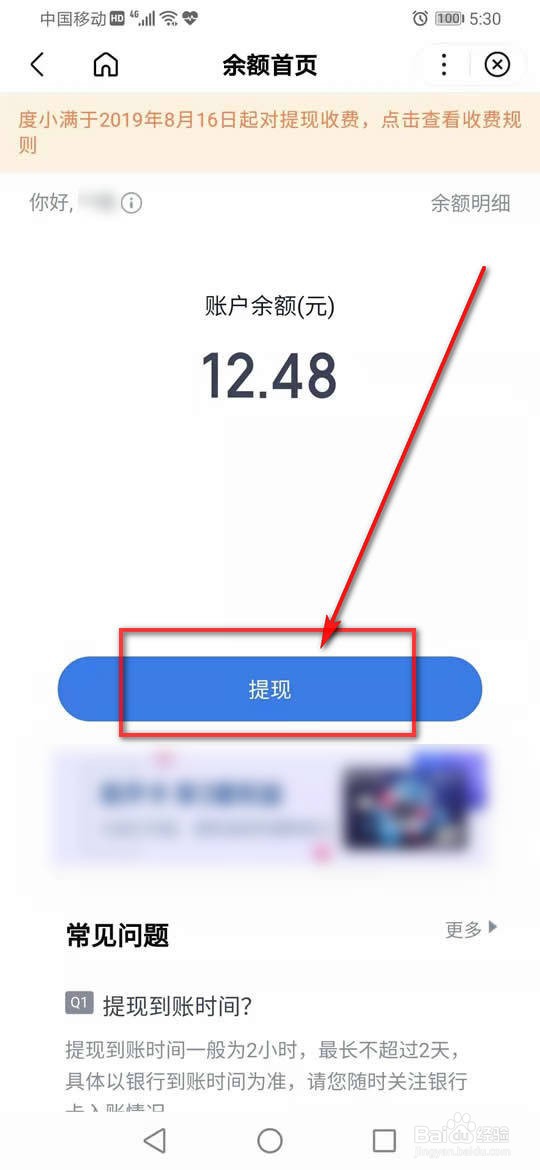
8、点击“提现”。
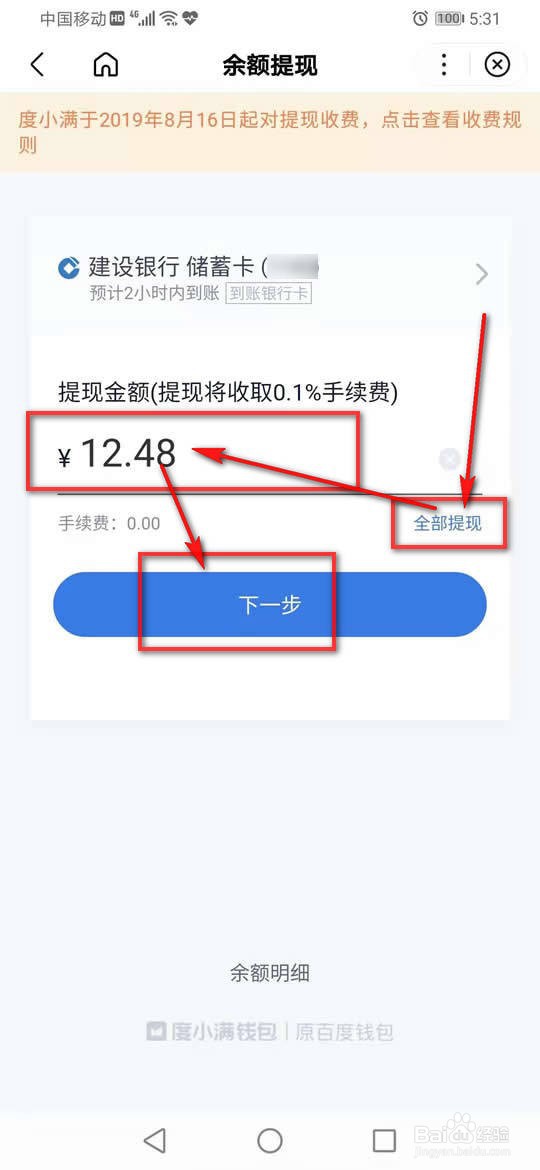
9、点击“全部提现”或者输入所需提现金额,再点击“下一步”。
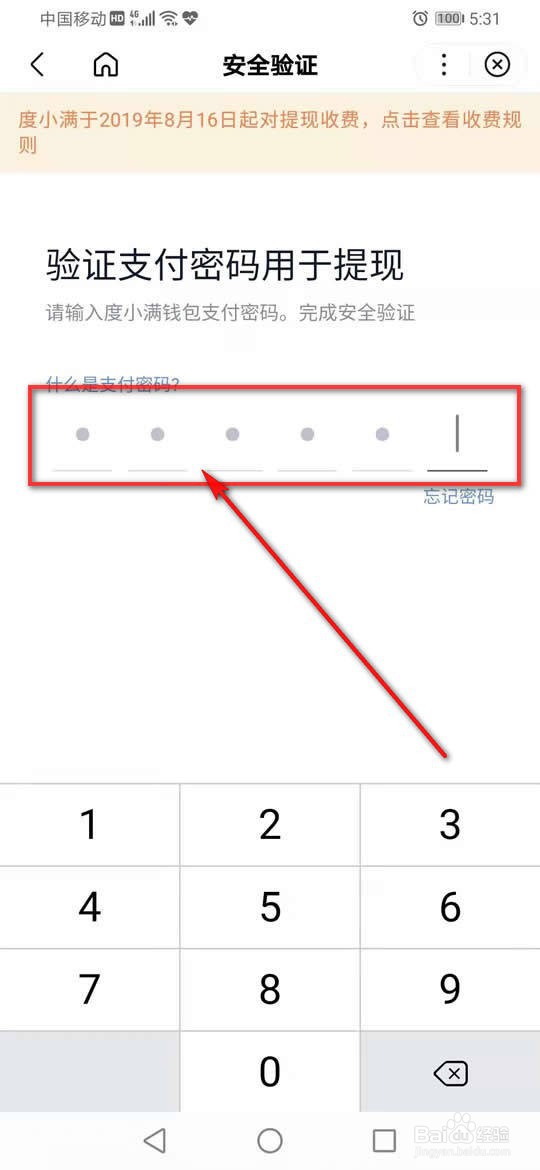
10、输入支付密码验证。
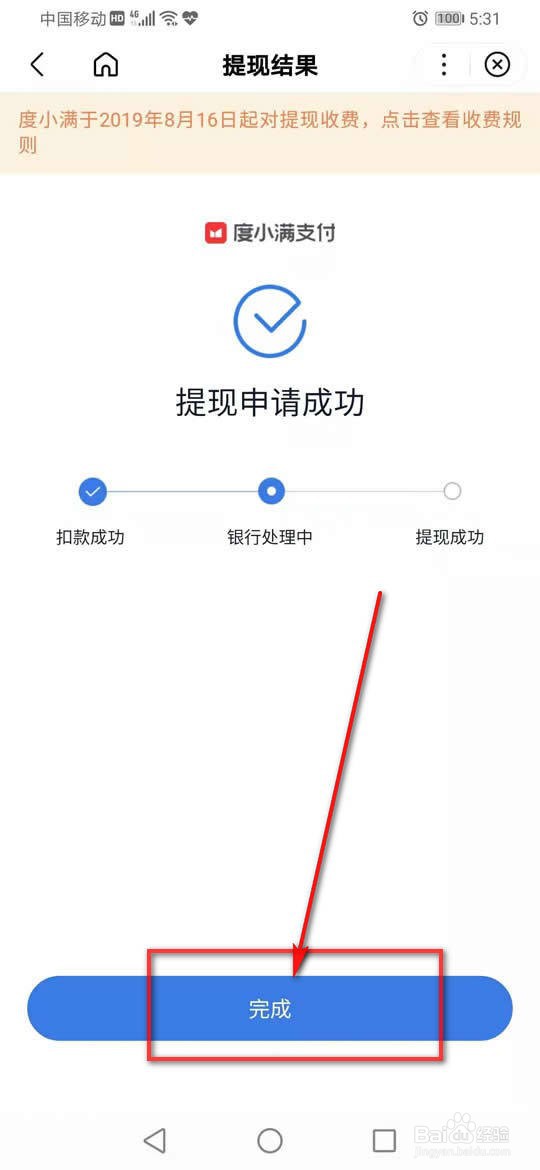
11、点击“完成”即可提现至绑定银行卡。
声明:本网站引用、摘录或转载内容仅供网站访问者交流或参考,不代表本站立场,如存在版权或非法内容,请联系站长删除,联系邮箱:site.kefu@qq.com。
阅读量:29
阅读量:151
阅读量:103
阅读量:64
阅读量:67