Java 设置Word表格对齐方式
1、方法1:通过e-iceblue官网下载。下载后,解压文件,并将lib文件夹下的Spire.Doc.jar文件导入java程序。
2、方法2:可通过maven导入,参考导入方法或教程https://www.e-iceblue.cn/licensing/install-spirepdf-for-java-from-maven-repository.html
1、import com.spire.doc.*;
import com.spire.doc.documents.RowAlignment;
public class TableAlignment {
public static void main(String[] args) {
//加载文档
Document doc = new Document();
doc.loadFromFile("input.docx");
//获取表格
Section sec = doc.getSections().get(0);
Table table = sec.getTables().get(0);
//设置对齐方式为居中对齐
table.getTableFormat().setHorizontalAlignment(RowAlignment.Center);
//table.getTableFormat().setHorizontalAlignment(RowAlignment.Left);
//table.getTableFormat().setHorizontalAlignment(RowAlignment.Right);
table.getTableFormat().setWrapTextAround(false);//设置表格的文本环绕方式
//保存文档
doc.saveToFile("tableformat.docx",FileFormat.Docx_2013);
doc.dispose();
}
}
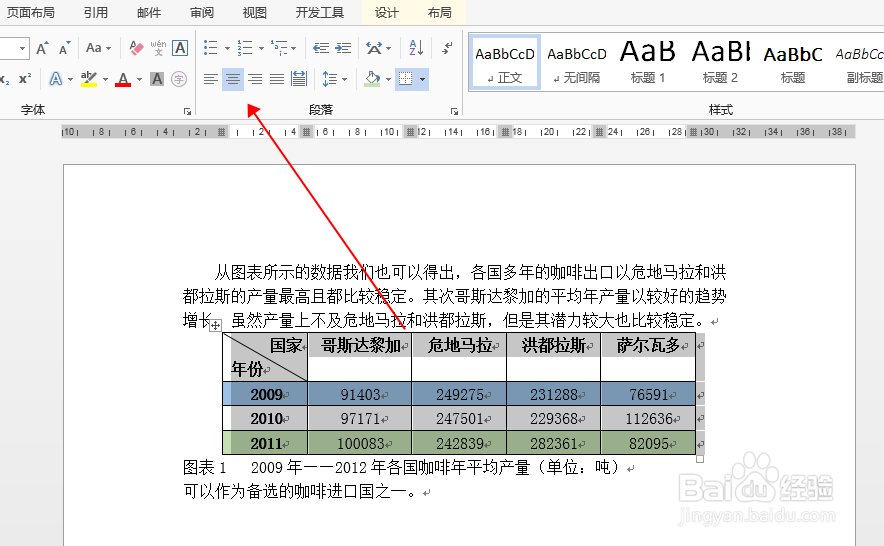
2、设置效果:
声明:本网站引用、摘录或转载内容仅供网站访问者交流或参考,不代表本站立场,如存在版权或非法内容,请联系站长删除,联系邮箱:site.kefu@qq.com。
阅读量:164
阅读量:24
阅读量:57
阅读量:181
阅读量:61