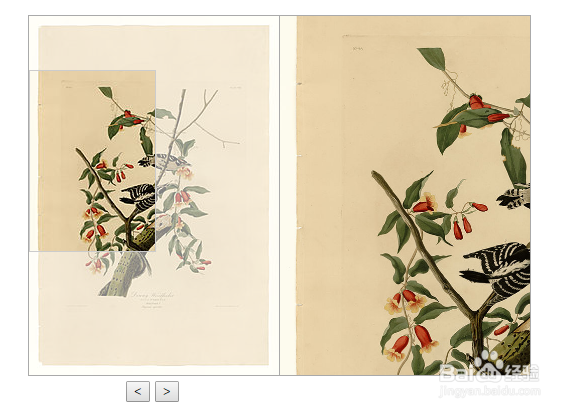
jquery模糊放大镜效果
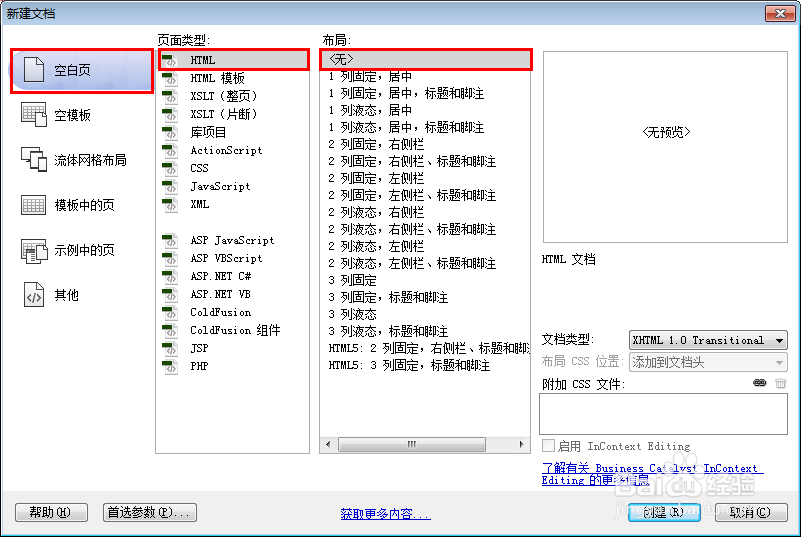
1、新建html文档。
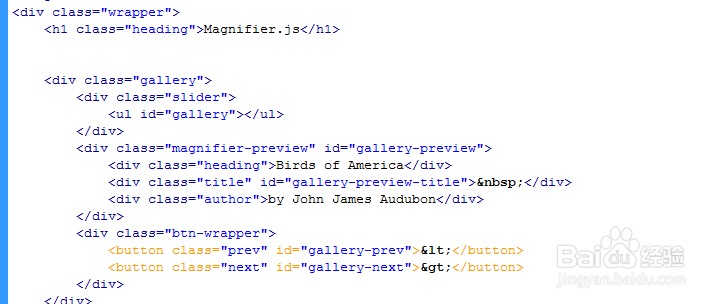
2、书写hmtl代码。
<div class="wrapper">
<h1 class="heading">Magnifier.js</h1>
<div class="gallery">
<div class="slider">
<ul id="gallery"></ul>
</div>
<div class="magnifier-preview" id="gallery-preview">
<div class="heading">Birds of America</div>
<div class="title" id="gallery-preview-title"> </div>
<div class="author">by John James Audubon</div>
</div>
<div class="btn-wrapper">
<button class="prev" id="gallery-prev"><</button>
<button class="next" id="gallery-next">></button>
</div>
</div></div>
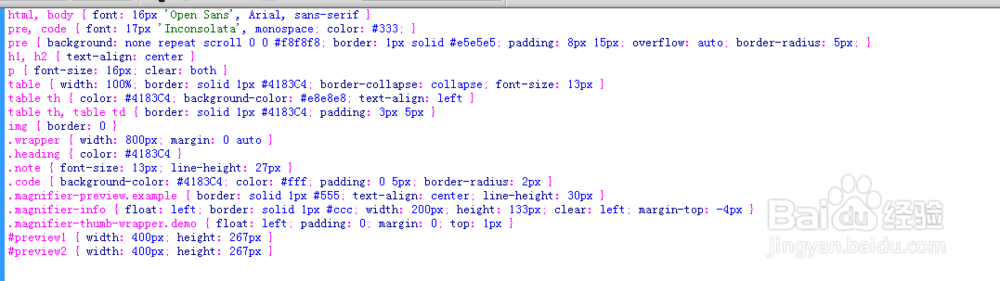
3、书写css代码。
html, body { font: 16px 'Open Sans', Arial, sans-serif }
pre, code { font: 17px 'Inconsolata', monospace; color: #333; }
pre { background: none repeat scroll 0 0 #f8f8f8; border: 1px solid #e5e5e5; padding: 8px 15px; overflow: auto; border-radius: 5px; }
h1, h2 { text-align: center }
p { font-size: 16px; clear: both }
table { width: 100%; border: solid 1px #4183C4; border-collapse: collapse; font-size: 13px }
table th { color: #4183C4; background-color: #e8e8e8; text-align: left }
table th, table td { border: solid 1px #4183C4; padding: 3px 5px }
img { border: 0 }
.wrapper { width: 800px; margin: 0 auto }
.heading { color: #4183C4 }
.note { font-size: 13px; line-height: 27px }
.code { background-color: #4183C4; color: #fff; padding: 0 5px; border-radius: 2px }
.magnifier-preview.example { border: solid 1px #555; text-align: center; line-height: 30px }
.magnifier-info { float: left; border: solid 1px #ccc; width: 200px; height: 133px; clear: left; margin-top: -4px }
.magnifier-thumb-wrapper.demo { float: left; padding: 0; margin: 0; top: 1px }
#preview1 { width: 400px; height: 267px }
#preview2 { width: 400px; height: 267px }
4、书写并添加js代码。
<script src="js/Event.js"></script>
<script src="js/Magnifier.js"></script>
<script src="js/Gallery.js"></script>

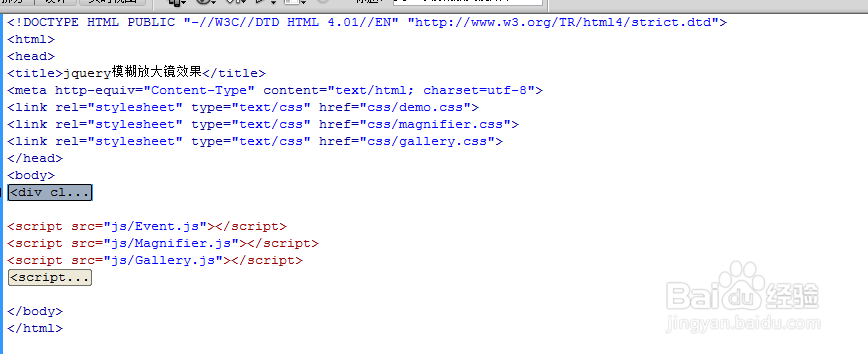
5、代码整体结构。
6、查看效果。