如何使用@ComponentScan自动扫描组件
1、包扫描会扫描只要标注了@Controller,@Service,@Repository,@Component这四个注解都会被扫描到容器中。
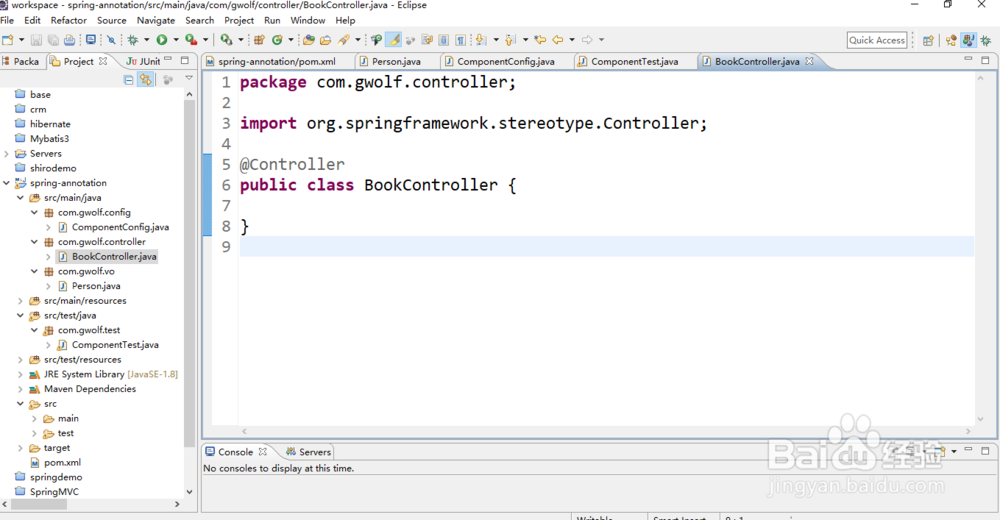
2、新增一个控制层的java类:BookController
package com.gwolf.controller;
import org.springframework.stereotype.Controller;
@Controller
public class BookController {
}
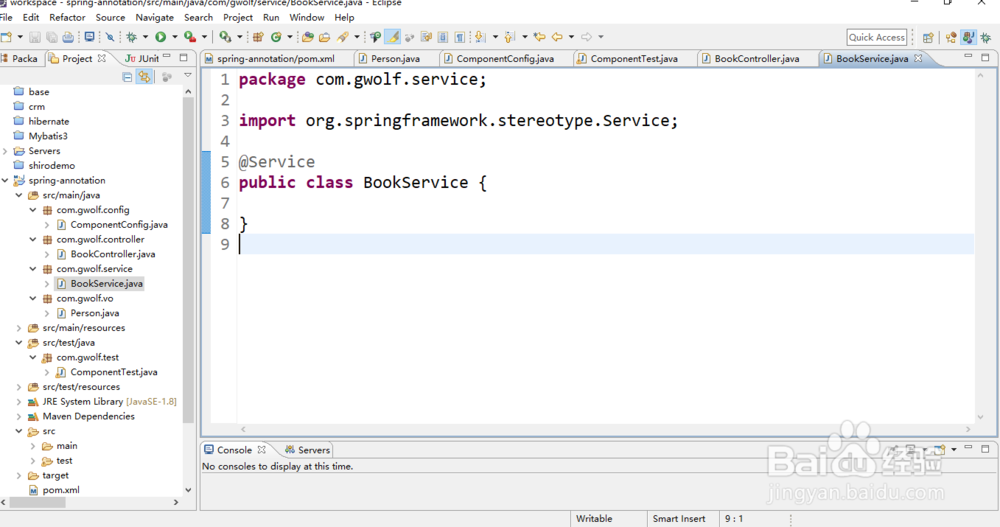
3、新建一个业务逻辑层类:BookService;
package com.gwolf.service;
import org.springframework.stereotype.Service;
@Service
public class BookService {
}
4、新建一个数据库连接DAO类:
package com.gwolf.dao;
import org.springframework.stereotype.Repository;
@Repository
public class BookDAO {
}

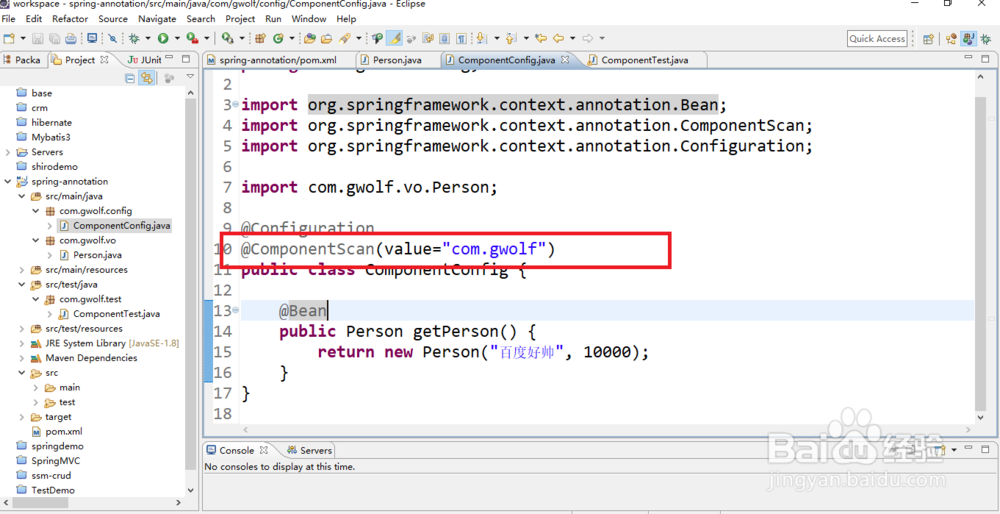
5、在组件配置类上增加包扫描组件注解:
package com.gwolf.config;
import org.springframework.context.annotation.Bean;
import org.springframework.context.annotation.ComponentScan;
import org.springframework.context.annotation.Configuration;
import com.gwolf.vo.Person;
@Configuration
@ComponentScan(value="com.gwolf")
public class ComponentConfig {
@Bean
public Person getPerson() {
return new Person("百度好帅", 10000);
}
}
6、在测试类上打印出所有在容器中已经注册的bean类;
package com.gwolf.test;
import org.springframework.context.ApplicationContext;
import org.springframework.context.annotation.AnnotationConfigApplicationContext;
import com.gwolf.config.ComponentConfig;
public class ComponentTest {
public static void main(String[] args) {
ApplicationContext applicationContext =
new AnnotationConfigApplicationContext(ComponentConfig.class);
String[] beanNames = applicationContext.getBeanDefinitionNames();
for(String bean : beanNames) {
System.out.println(bean);
}
}
}
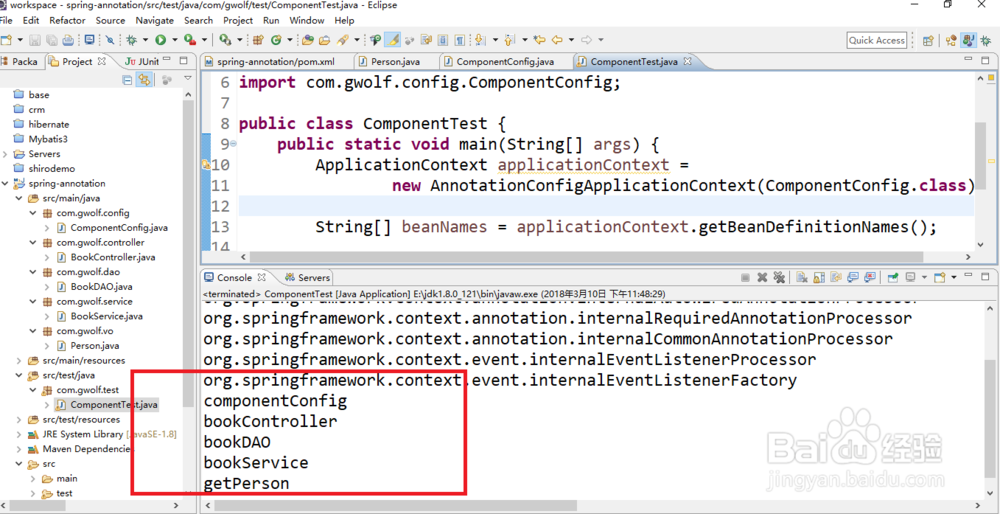
7、从上面的结果可以看出@Controller,@Service,@Repository,@Component注解的java类都加入到了spring容器中了。
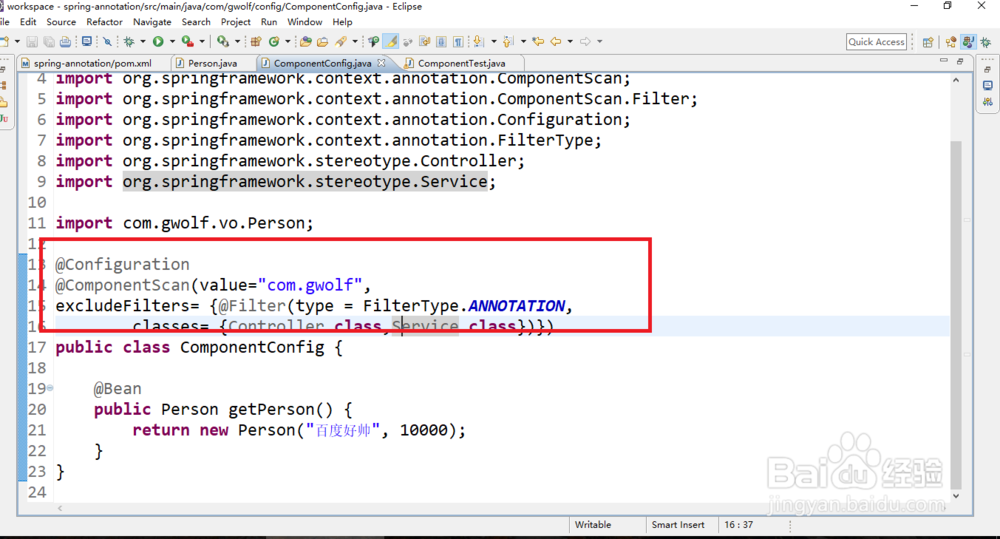
8、组件扫描的时候配置不需要扫描的包。现在配置不扫描@Controller,@Service注解。
package com.gwolf.config;
import org.springframework.context.annotation.Bean;
import org.springframework.context.annotation.ComponentScan;
import org.springframework.context.annotation.ComponentScan.Filter;
import org.springframework.context.annotation.Configuration;
import org.springframework.context.annotation.FilterType;
import org.springframework.stereotype.Controller;
import org.springframework.stereotype.Service;
import com.gwolf.vo.Person;
@Configuration
@ComponentScan(value="com.gwolf",
excludeFilters= {@Filter(type = FilterType.ANNOTATION,
classes= {Controller.class,Service.class})})
public class ComponentConfig {
@Bean
public Person getPerson() {
return new Person("百度好帅", 10000);
}
}
9、组件扫描的时候配置需要扫描的包。现在配置只扫描@Controller注解。
package com.gwolf.config;
import org.springframework.context.annotation.Bean;
import org.springframework.context.annotation.ComponentScan;
import org.springframework.context.annotation.ComponentScan.Filter;
import org.springframework.context.annotation.Configuration;
import org.springframework.context.annotation.FilterType;
import org.springframework.stereotype.Controller;
import com.gwolf.vo.Person;
@Configuration
@ComponentScan(value="com.gwolf",
includeFilters= {@Filter(type = FilterType.ANNOTATION,
classes= {Controller.class})},useDefaultFilters=false)
public class ComponentConfig {
@Bean
public Person getPerson() {
return new Person("百度好帅", 10000);
}
}
