VUE新建页面并配置路由
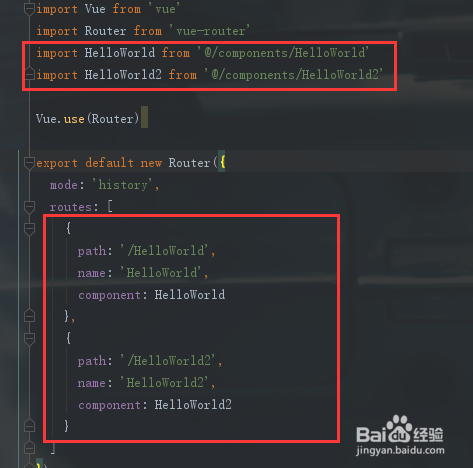
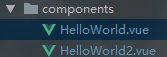
1、一,新建页面并配置路由
2、二,去掉路径中的 #
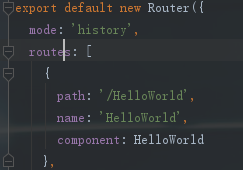
mode: ‘history’
3、三,使用methods
页面跳转
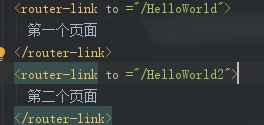
1》直接跳转
router-link
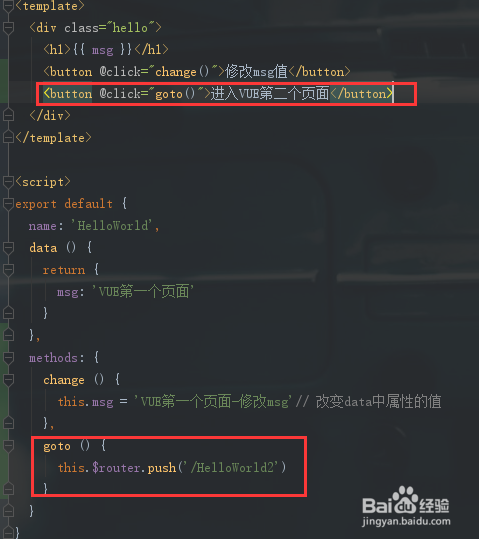
4、2》使用点击事件跳转
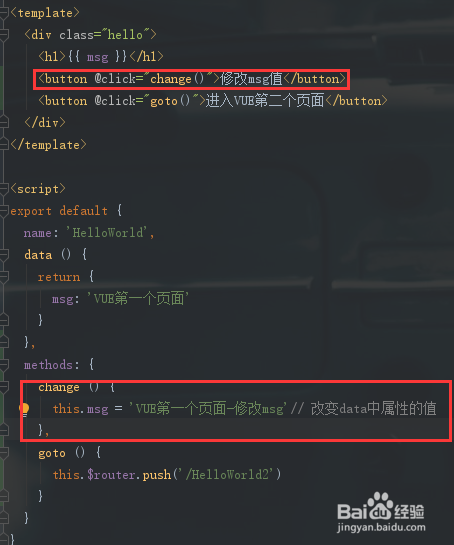
5、修改data中属性的值
6、四,页面效果显示

声明:本网站引用、摘录或转载内容仅供网站访问者交流或参考,不代表本站立场,如存在版权或非法内容,请联系站长删除,联系邮箱:site.kefu@qq.com。
1、一,新建页面并配置路由
2、二,去掉路径中的 #
mode: ‘history’
3、三,使用methods
页面跳转
4、2》使用点击事件跳转
5、修改data中属性的值
6、四,页面效果显示