Windows11如何安装中文语言包
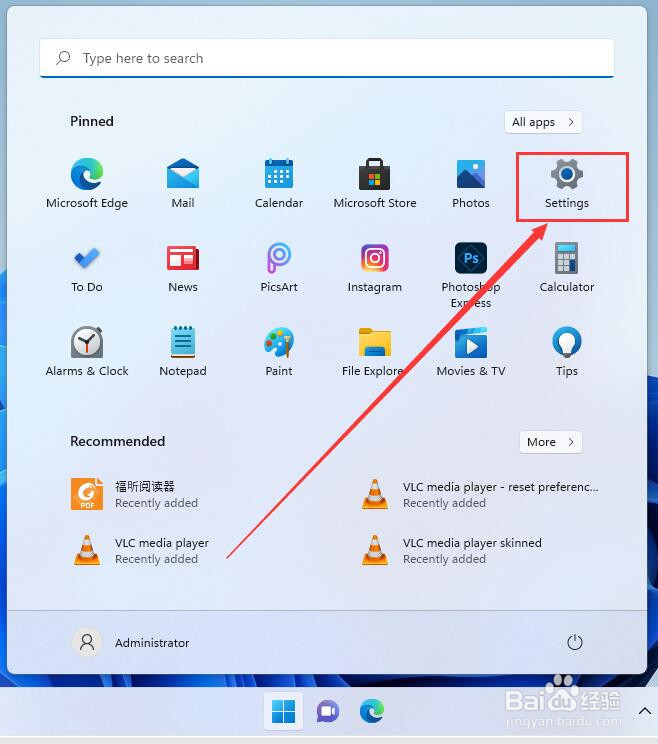
1、点击 "Windows" 图标

2、点击 "setting"
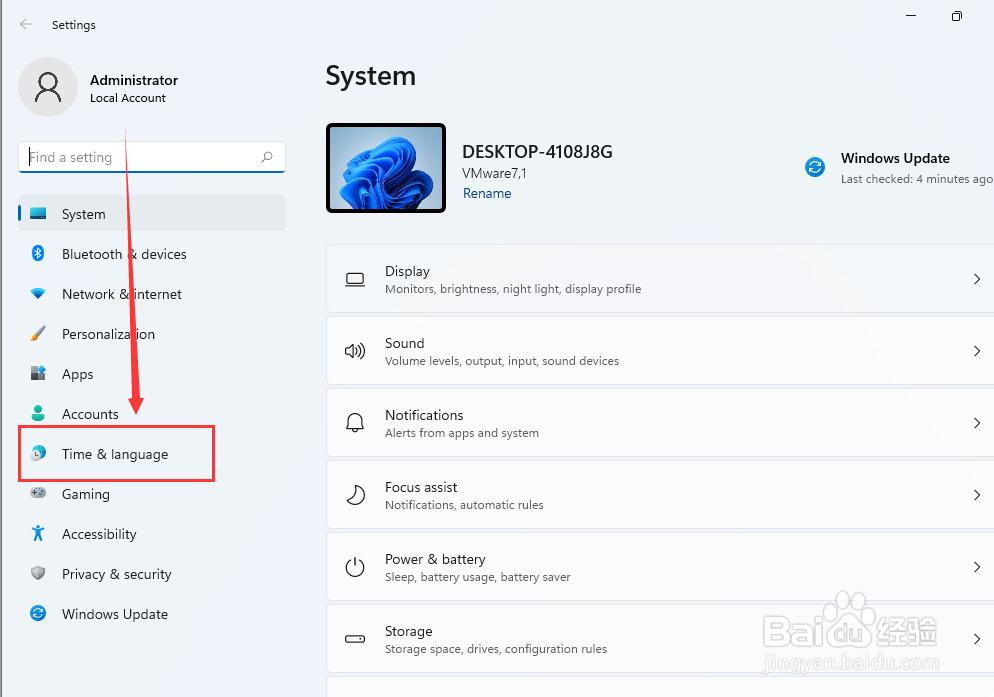
3、点击 "Time & language"
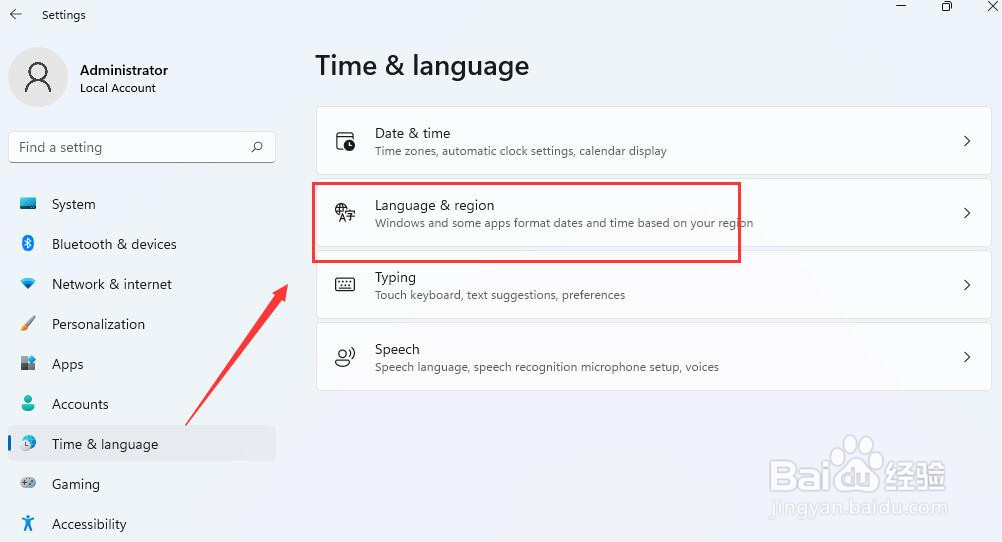
4、点击 "language & region"
5、点击 "add a language"

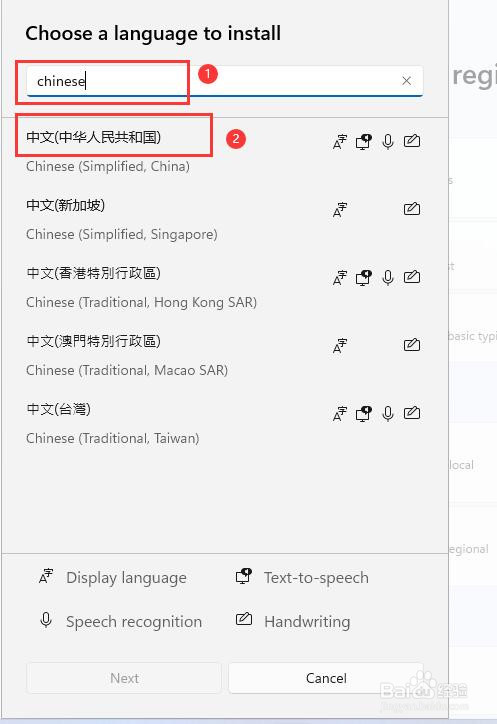
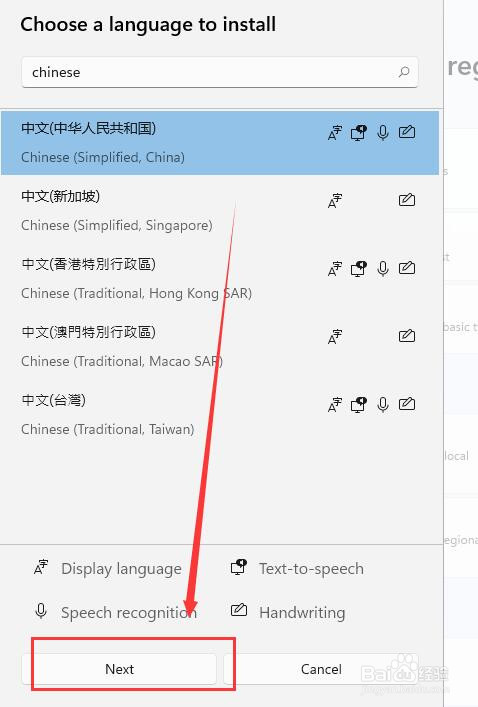
6、在方框输入 "Chinese", 找到柄点击 "中文 ...", 然后点击 "Next"
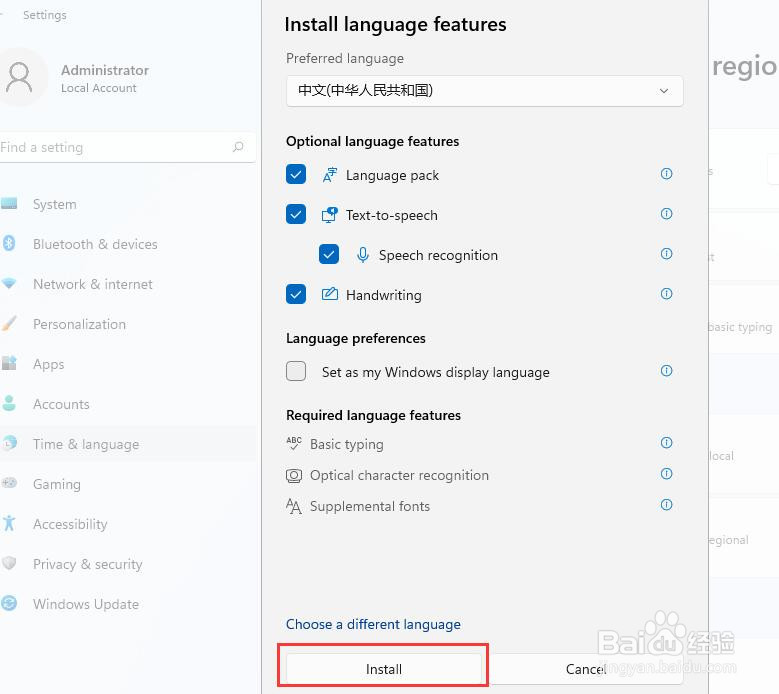
7、点击 "Install"
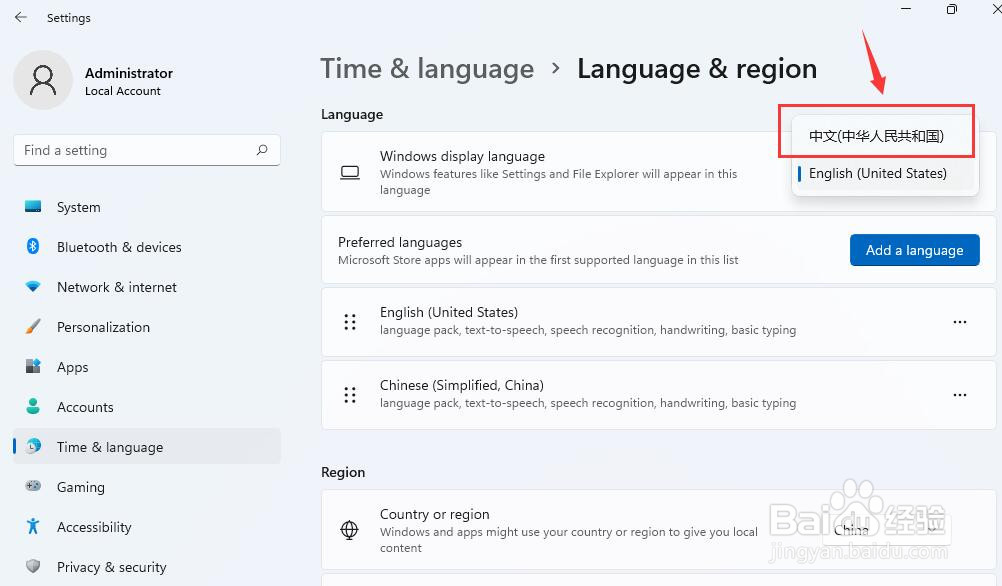
8、选择 "中文 ..." 并点击, 然后重启电脑即可

声明:本网站引用、摘录或转载内容仅供网站访问者交流或参考,不代表本站立场,如存在版权或非法内容,请联系站长删除,联系邮箱:site.kefu@qq.com。
阅读量:161
阅读量:168
阅读量:76
阅读量:78
阅读量:46