html5的表单事件
1、这里用onblur(当元素失去焦点时运行脚本)举例讲解,首先新建一个html文档,书写代码:
<!DOCTYPE HTML>
<html>
<body>
<form action="a.php" method="post">
<input type="email" name="e" /><br />
<input type="submit" value="send" />
</form>
</body>
</html>
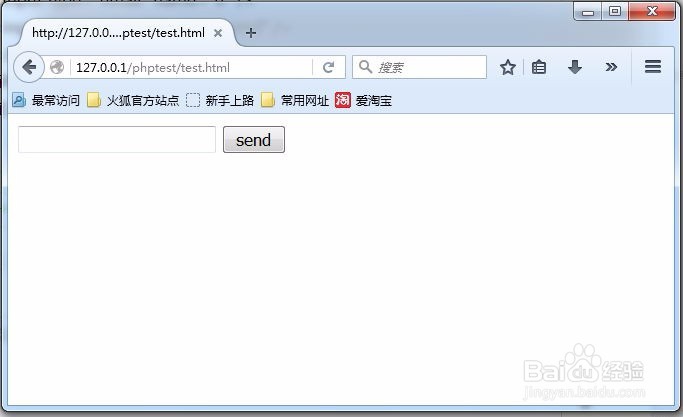
input输入框为一个邮箱的输入框,效果如图:
2、接下来,我们添加表单事件onblur,代码如下:
<input type="email" name="e" onblur="check();"/><br />
onblur="check();"的意思是: 当元素失去焦点时运行check()这个函数,
3、check()是一个JavaScript的函数,接下来,我们创建JavaScript的开始标签和结束标签并书写check函数:
<!DOCTYPE HTML>
<html>
<body>
<script type="text/javascript">
function check(){
alert("abc");
}
</script>
<form action="a.php" method="post">
<input type="email" name="e" onblur="check();"/><br />
<input type="submit" value="send" />
</form>
</body>
</html>
这个函数会弹出显示abc,最终效果如图:
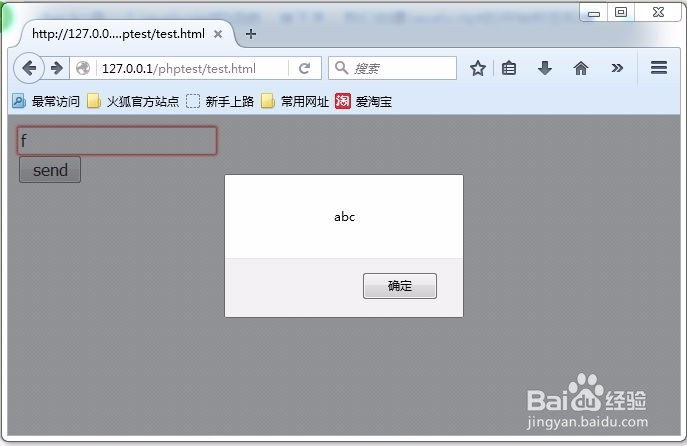
4、输入一个f,然后把光标定位到其他地方,就会弹窗显示abc。
声明:本网站引用、摘录或转载内容仅供网站访问者交流或参考,不代表本站立场,如存在版权或非法内容,请联系站长删除,联系邮箱:site.kefu@qq.com。
阅读量:86
阅读量:89
阅读量:141
阅读量:58
阅读量:134