MyElipes遇到 source not found解决方案
1、 首先,需要下载两个必须的插件包。
一个是:准备反编译需要的jad.exe
下载地址:http://varaneckas.com/jad/
二个是:反编译编辑器net.sf.jadclipse_3.3.0.jar
下载地址:http://sourceforge.net/projects/jadclipse/?source=dlp

2、 第二:把插件安装在Myeclise或eclipse中。
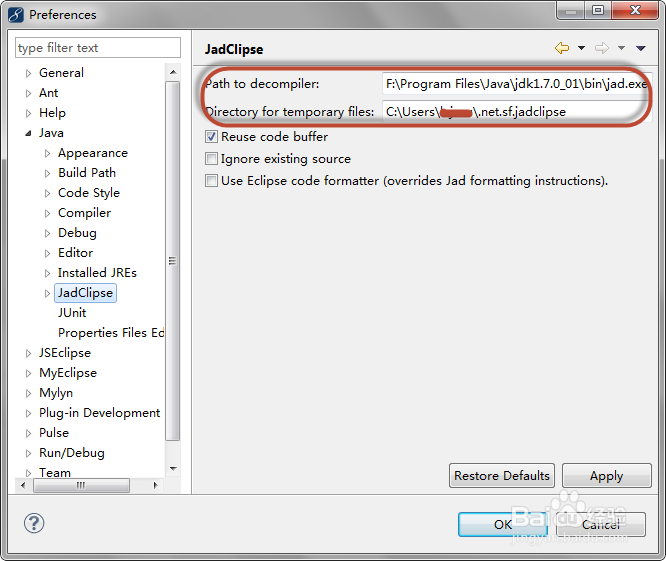
1、对于jad.exe 。安装于你jdk的安装位置。
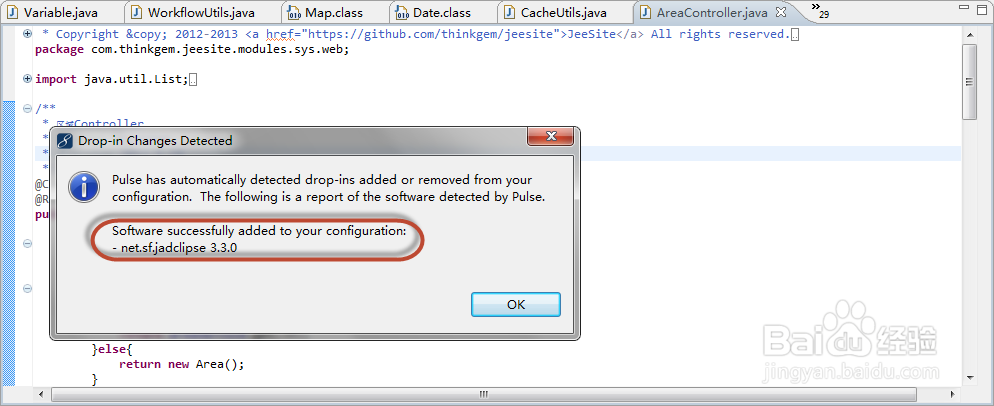
2、net.sf.jadclipse_3.3.0.jar 在你的Myeclise或eclipse的dropins目录中。
安装成功会有提示。
3、 第三:设置在在Myeclise或eclipse中的配置参数。
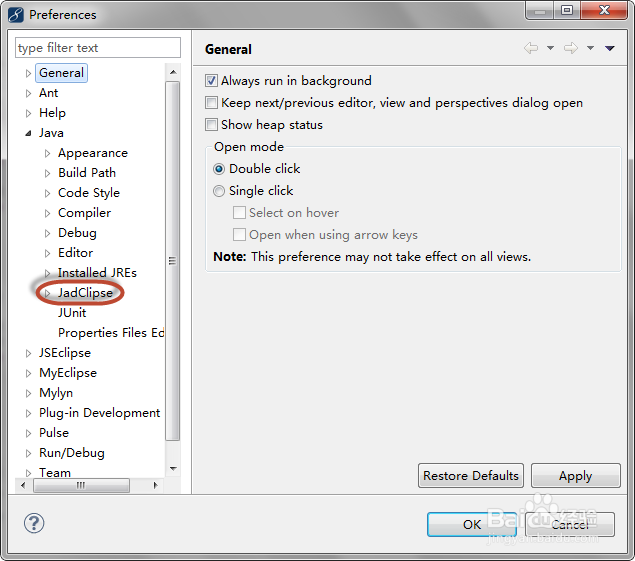

4、 第四:设置参数。
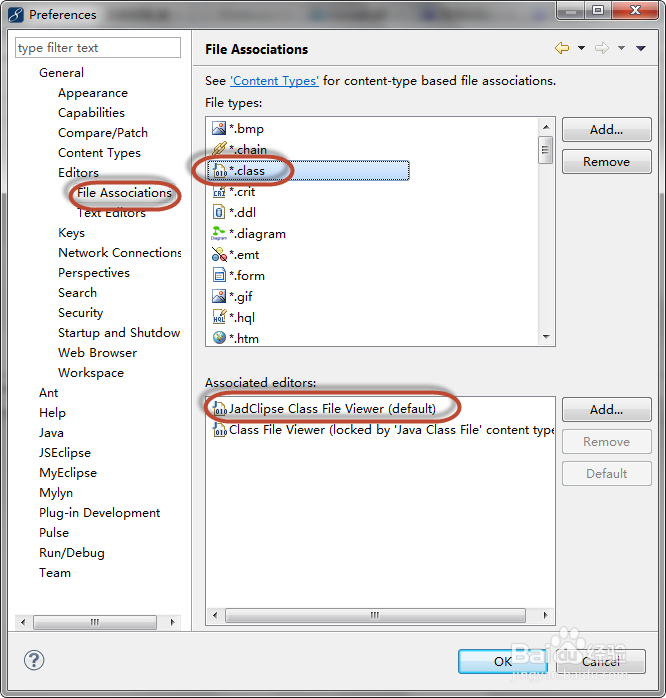
在jadclipse->肺墨案 debug勾选:output original line numbers as comments 在jadclipse->Misc勾选:covert unicode strings into ANSI strings 在windows->趴眠preference->General->Editors->File Association将 JadClipse Class File Viewer设置捧惹为默认。
5、 第五:大功告成。

声明:本网站引用、摘录或转载内容仅供网站访问者交流或参考,不代表本站立场,如存在版权或非法内容,请联系站长删除,联系邮箱:site.kefu@qq.com。
阅读量:183
阅读量:73
阅读量:74
阅读量:179
阅读量:162