maven怎么安装第三方jar包到私服
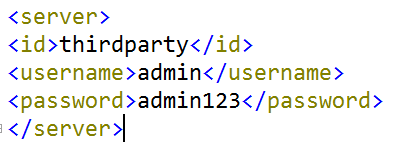
1、在maven的conf目录下的settings.xml配置文件中添加登录私服第三方登录信息<server><id>thirdparty</id><username>admin</username><password>admin123</password></server>
2、打开cmd,进入jar包所在目录

3、运行命令:
mvn deploy:deploy-file -DgroupId=com.alibaba -DartifactId=fastjson -Dversion=1.1.37 -Dpackaging=jar -Dfile=fastjson-1.1.37.jar -Durl=http://localhost:8081/nexus/content/repositories/thirdparty/ -DrepositoryId=thirdparty
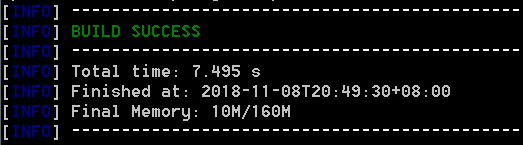
1、打开cmd直接运行命令:
mvn deploy:deploy-file -DgroupId=com.alibaba -DartifactId=fastjson -Dversion=1.1.37 -Dpackaging=jar -Dfile=(第三方jar包全路径名,例如:D:\fastjson-1.1.37.jar) -Durl=http://localhost:8081/nexus/content/repositories/thirdparty/ -DrepositoryId=thirdparty

1、DgroupId 和 DartifactId 构成了该 jar 包在 pom.xml 的坐标,项目就是依靠这两个属性定位。
自己起名字也行。
Dfile 表示需要上传的 jar 包的绝对路径。
Durl 私服上仓库的位置,打开 nexus——>repositories 菜单,可以看到该路径。
DrepositoryId 服务器的表示 id,在 nexus 的 configuration 可以看到。
Dversion 表示版本信息。

1、包的名字上一般会带版本号,如果没有那可以解压该包,会发现一个叫 MANIFEST.MF 的文件,这个文件就有描述该包的版本信息。
