excel表格中的vlookup函数如何使用?
1、首先,打开EXCEL表格,在要导入数据的单元格中,点击上方的fx。
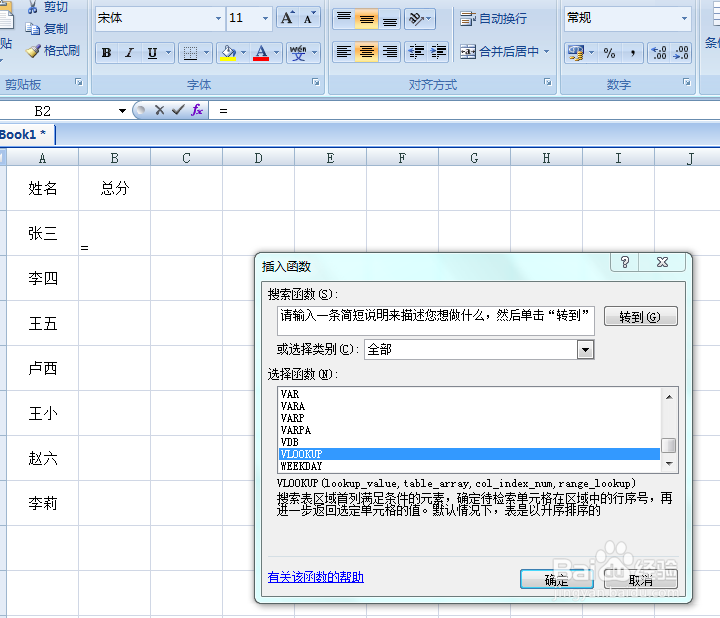
2、然后在插入函数中,查找vlookup函数,点击下放的确定按钮,进入函数参数。
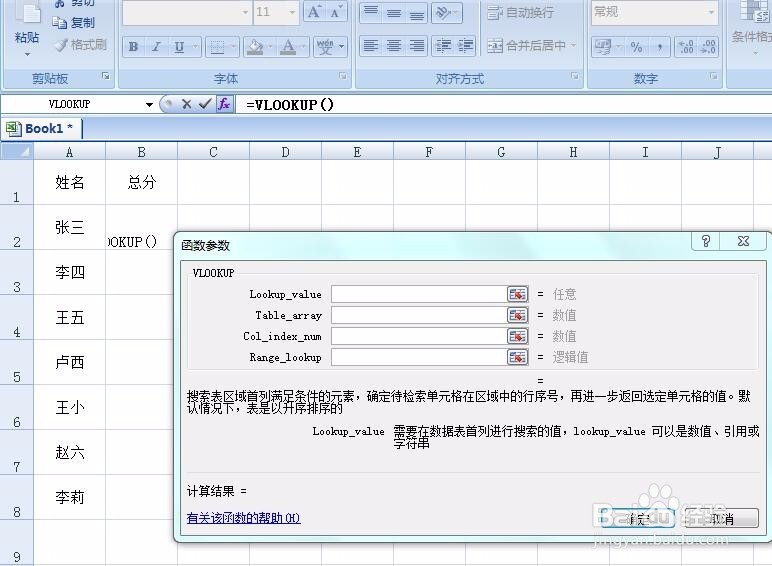
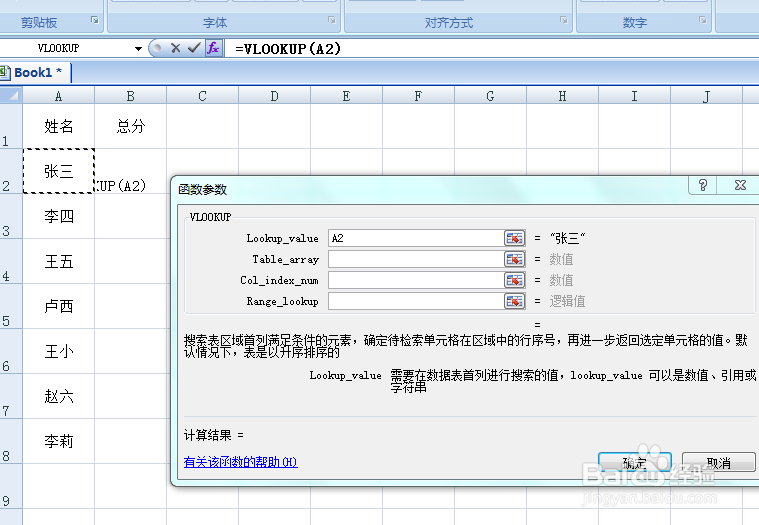
3、在vlookup-value右边的框中,选择要进行搜索的单元格或者数值。如图,选择要搜索的单元格A2。
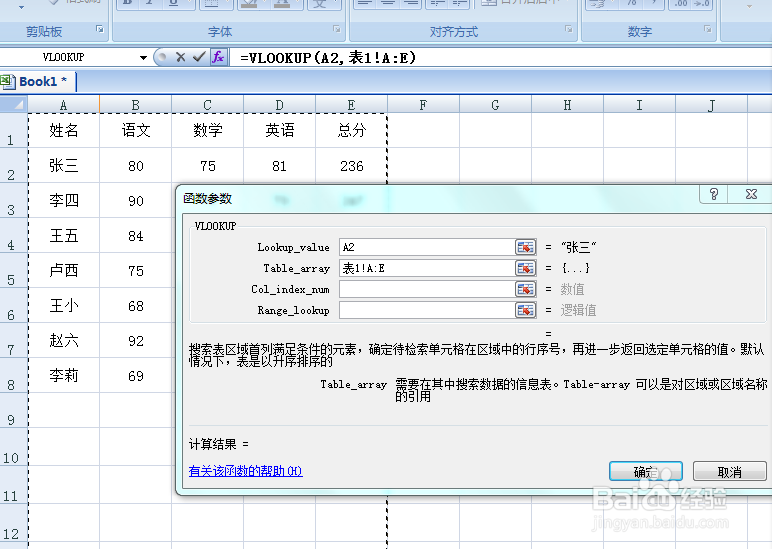
4、在table-array右边的框格中,选择要进行搜索的数据表范围,如图。
5、在col-index-num后边的框格中,选择要数值的单元格数值所在的位置的序号,如图。
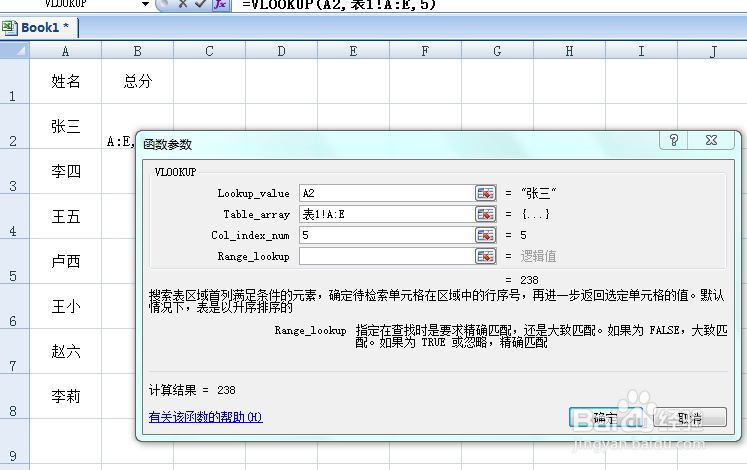
6、在range-lookup右边的框格中,输入0或者是false,大致匹配。或者输入true,精确匹配数据。如图,然后点击确定即可。
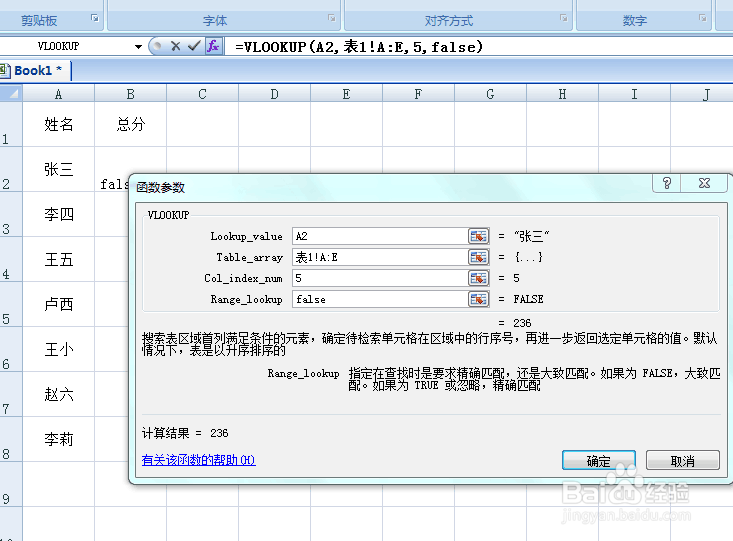
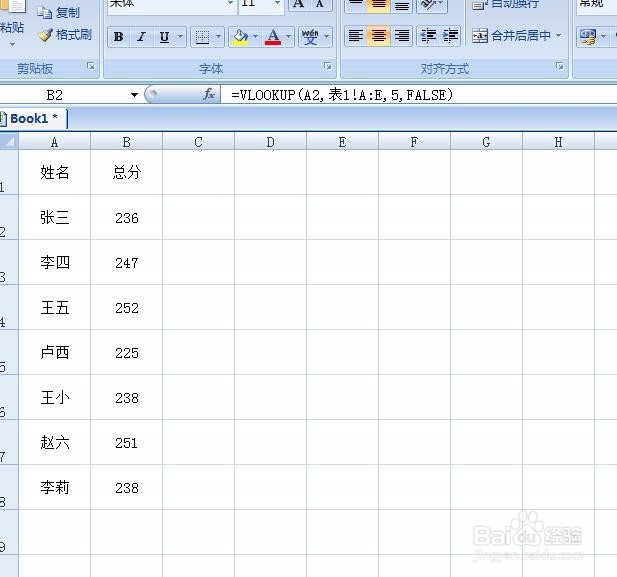
7、最后,用填充工具,填充公式,便可以导出需要的数值。
声明:本网站引用、摘录或转载内容仅供网站访问者交流或参考,不代表本站立场,如存在版权或非法内容,请联系站长删除,联系邮箱:site.kefu@qq.com。
阅读量:116
阅读量:70
阅读量:28
阅读量:186
阅读量:105