linux中启动telnet服务
1、安装telnet服务
[root@hole ~]# yum -y install telnet-server
2、查看telnet 服务, chkcconfig -list查看, 多了telnet服务, 默认关闭

3、所有基于xinetd的服务, 在/etc/xinetd.d目录下, 都有相应的文件与之相对于

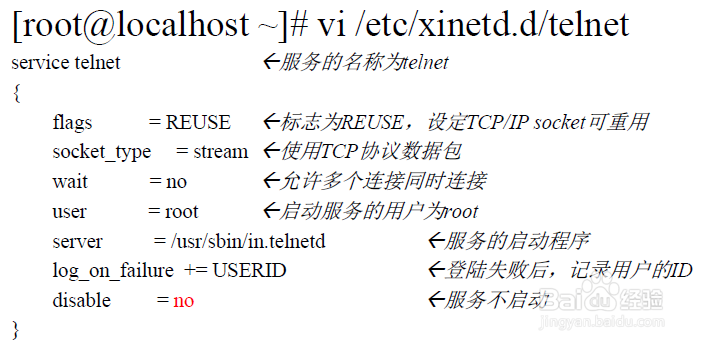
4、编辑telnet服务: 将disable修改为为no, 表明启动telnet

5、重启xinetd服务: 不是重启telnet服务, 没有telnet服务, telnet服务基于xinetd

6、查看端口号, 发现telnet服务已经启动

7、命令chkconfig --list查看

声明:本网站引用、摘录或转载内容仅供网站访问者交流或参考,不代表本站立场,如存在版权或非法内容,请联系站长删除,联系邮箱:site.kefu@qq.com。
阅读量:183
阅读量:106
阅读量:175
阅读量:75
阅读量:69