PowerPoint2016怎么添加柱状图表
1、点击打开PowerPoint2016的插入选项卡。

2、点击图示的【图表】按钮。

3、此时应打开图示的【柱形图】选项卡。
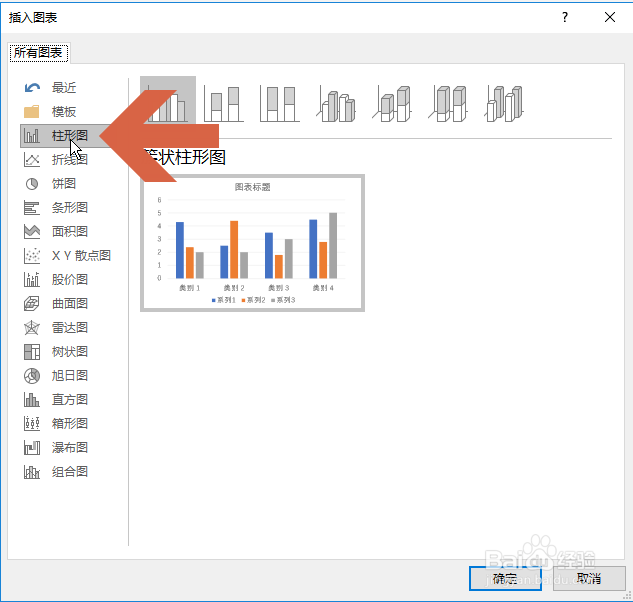
4、在选项卡右侧上方点击选择一个柱形图样式。

5、点击确定按钮。

6、确定后,PowerPoint2016界面就会添加对应的柱形图,并且打开其参数设置表格。

7、修改表格中的数字、文字和行列等可更改柱形图的参数。

声明:本网站引用、摘录或转载内容仅供网站访问者交流或参考,不代表本站立场,如存在版权或非法内容,请联系站长删除,联系邮箱:site.kefu@qq.com。
阅读量:80
阅读量:154
阅读量:165
阅读量:118
阅读量:173