如何将excel转换成word?excel转换成word教程

2026-01-08 15:19:57

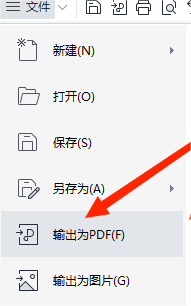
1、打开excel文件,点击三横文件,点击输出为PDF。

如何将excel转换成word?excel转换成word教程

如何将excel转换成word?excel转换成word教程

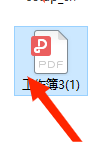
2、选中要转换的文件,点击“转换”

如何将excel转换成word?excel转换成word教程

3、转换完成,另存在电脑桌面

如何将excel转换成word?excel转换成word教程

如何将excel转换成word?excel转换成word教程

4、打开转换成的PDF文件,点击右上角“文件”下的“三横”

如何将excel转换成word?excel转换成word教程

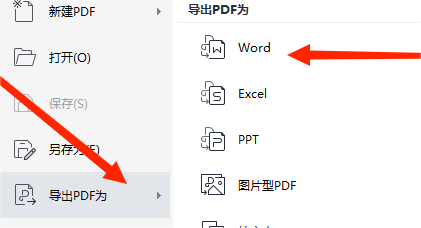
5、找到“导出PDF为”选项,在弹出的菜单中选择“word"选项

如何将excel转换成word?excel转换成word教程

6、在弹出的界面中次选择“开始转换”。

如何将excel转换成word?excel转换成word教程

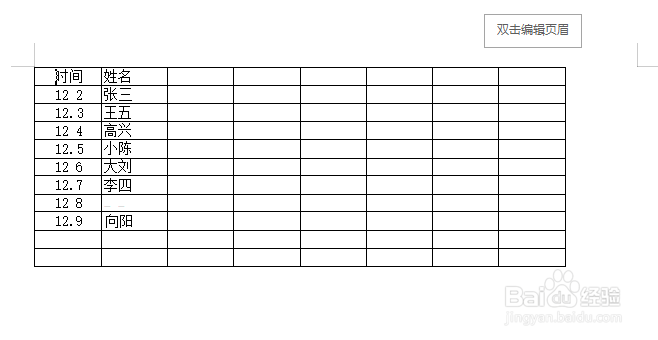
7、完成

如何将excel转换成word?excel转换成word教程

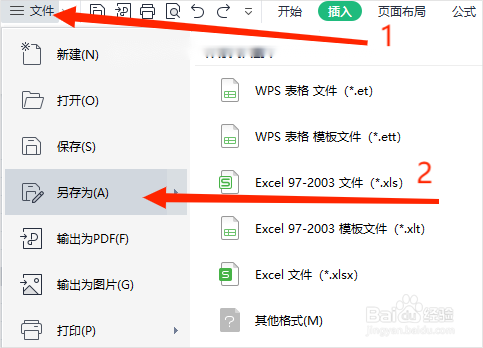
1、点击“文件”下的三横,在弹出的菜单中点击“另存为”

如何将excel转换成word?excel转换成word教程

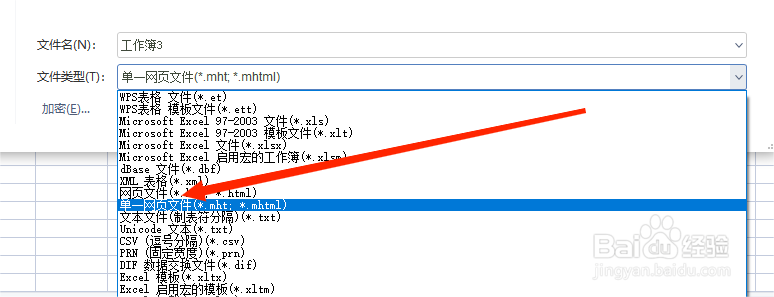
2、文件类型中选中“单一网页文件”,保存。

如何将excel转换成word?excel转换成word教程

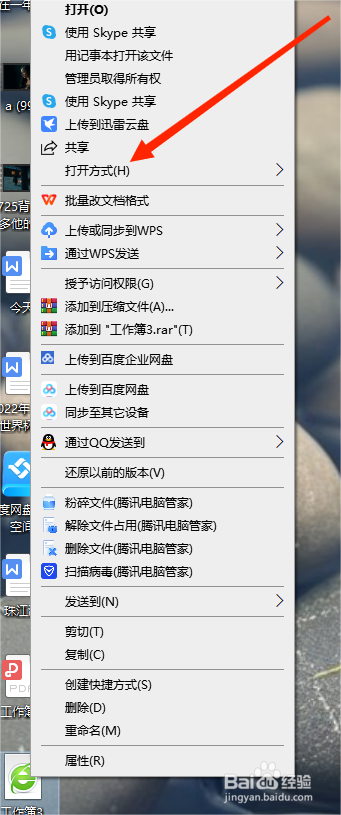
3、右键单击文件,选择”打开方式“

如何将excel转换成word?excel转换成word教程

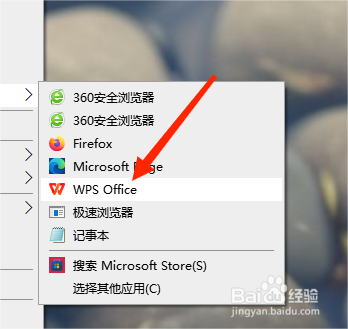
4、选择打开此文件的程序“WPS"

如何将excel转换成word?excel转换成word教程

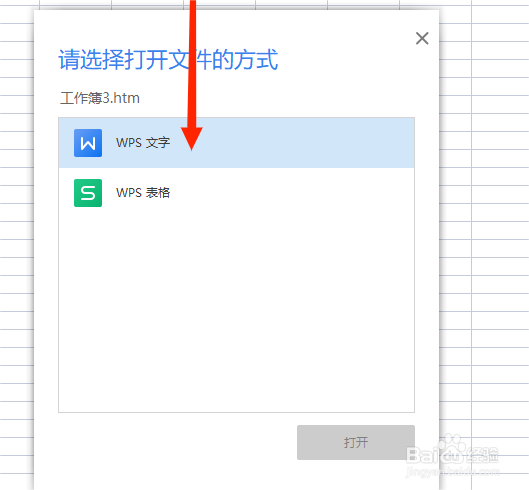
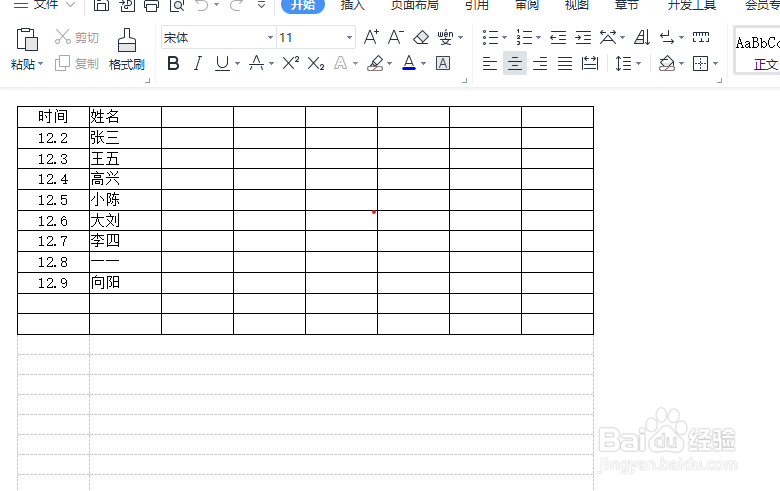
5、在弹出的选项中选择”word "

如何将excel转换成word?excel转换成word教程

6、搞定。

如何将excel转换成word?excel转换成word教程

声明:本网站引用、摘录或转载内容仅供网站访问者交流或参考,不代表本站立场,如存在版权或非法内容,请联系站长删除,联系邮箱:site.kefu@qq.com。
相关推荐
  • 阅读量:30
  • 阅读量:83
  • 阅读量:96
  • 阅读量:122
  • 阅读量:112
  • 猜你喜欢