无法启动world wide web publishing 服务
1、打开电脑左下角【开始】菜单,找到【运行】选项点击打开
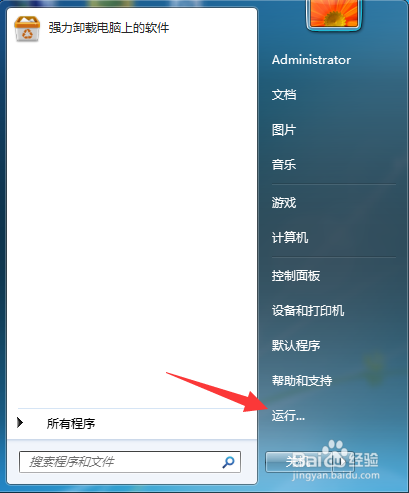
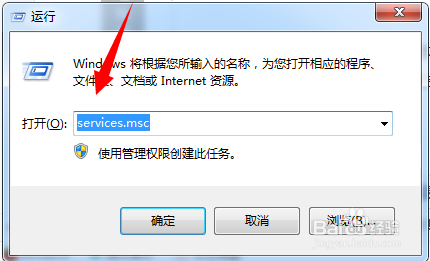
2、在弹出的运行对话框,输入 services.msc 命令,点击确定。
3、进入服务项界面,右键点击world wide web publishing service服务,选择 【 属性】选项
查看该服务的依赖关系,此时可以发现该服务依赖于Windows Process Activation Service服务

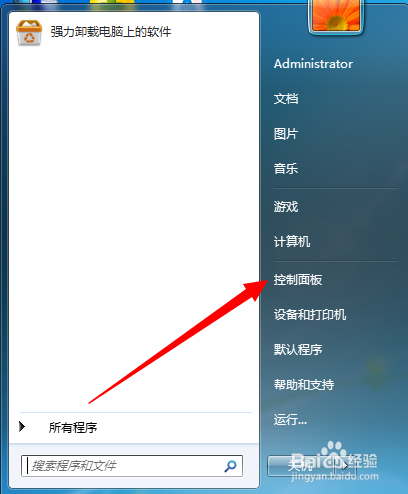
4、电脑打开开始菜单中的【控制面板】选项
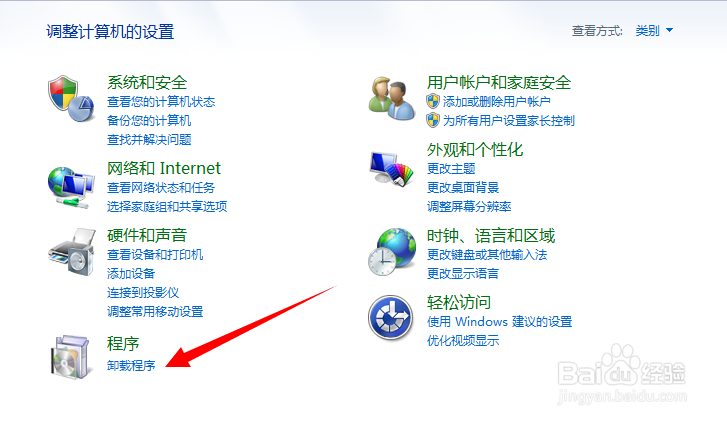
5、进入控制面板界面,在下面列表中点击程序下方的【卸载程序】
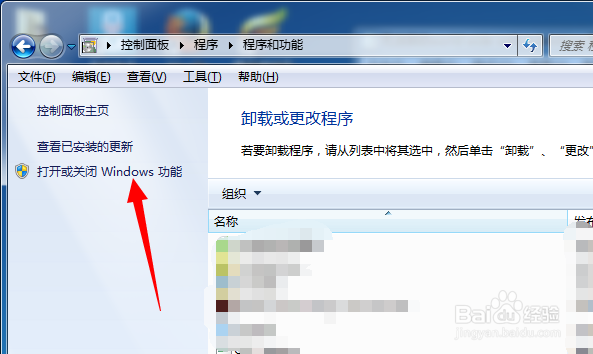
6、在【程序和功能】界面,点击左上角【打开或关闭Windows功能】
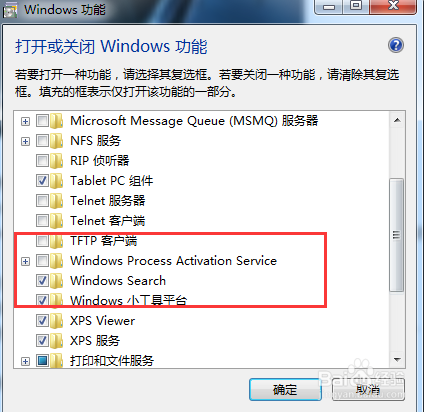
7、在功能列表中,找到【Windows Process Activation Service】选项,将其勾选,然后点击下方确定进行安装。安装完毕重启电脑即可
声明:本网站引用、摘录或转载内容仅供网站访问者交流或参考,不代表本站立场,如存在版权或非法内容,请联系站长删除,联系邮箱:site.kefu@qq.com。
阅读量:54
阅读量:115
阅读量:37
阅读量:105
阅读量:89