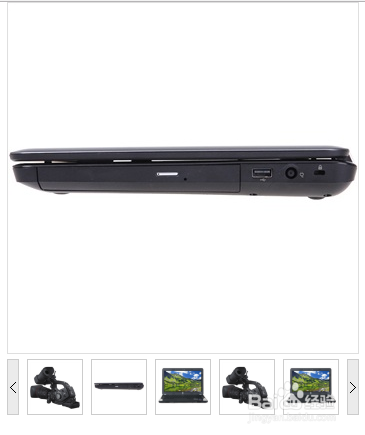
网页商城详细页产品图片列表以及放大镜效果
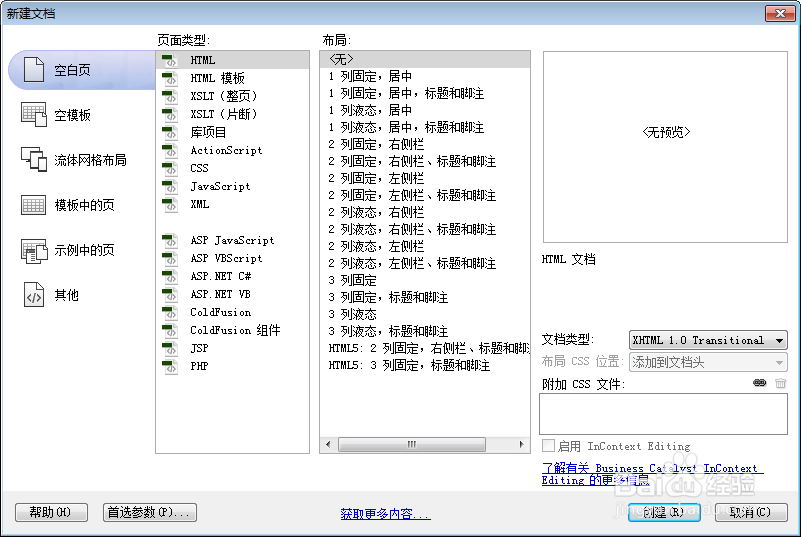
1、新建html文档。
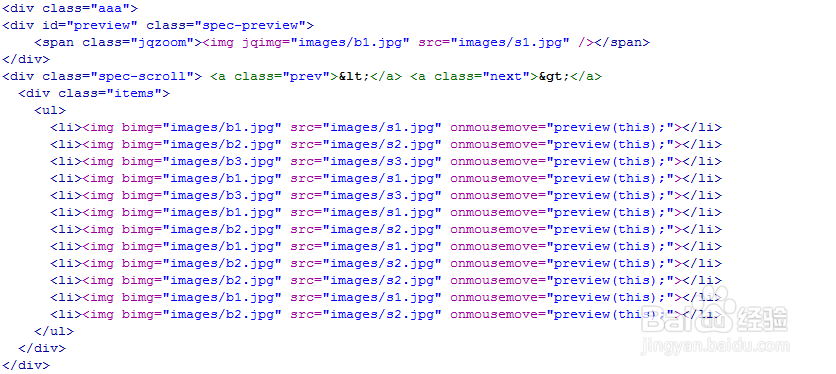
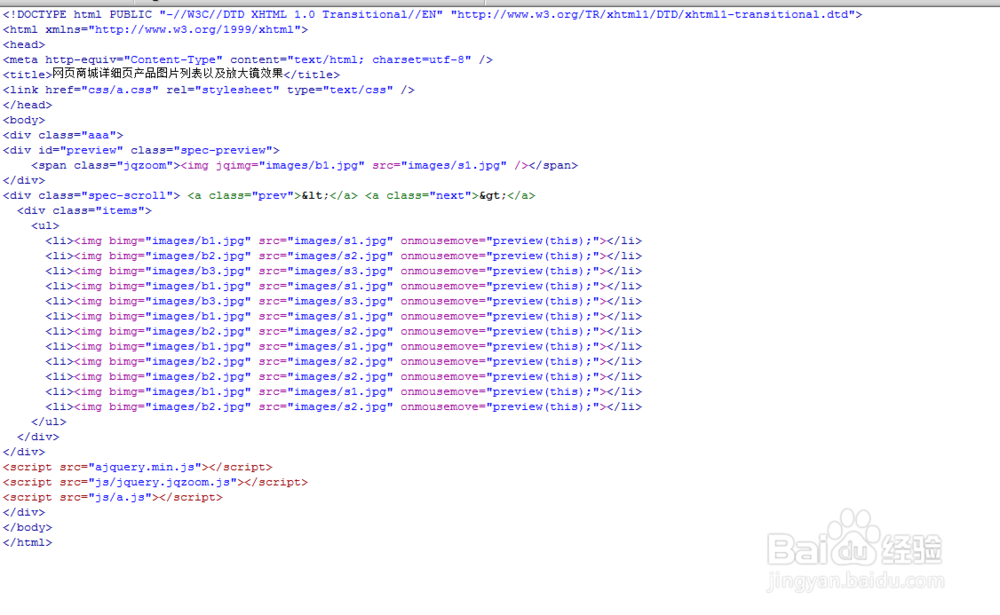
2、书写hmtl代码。
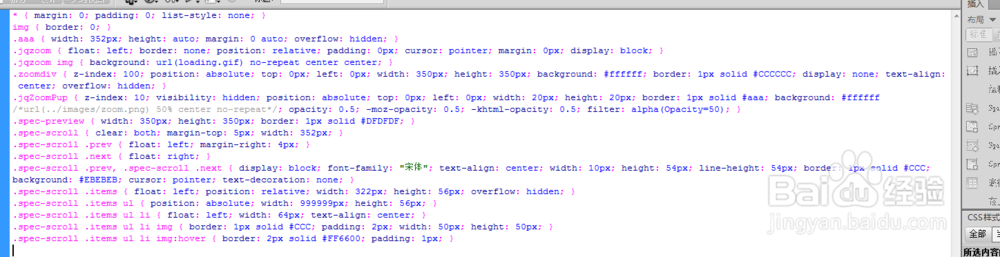
3、书写css代码。
* { margin: 0; padding: 0; list-style: none; }
img { border: 0; }
.aaa { width: 352px; height: auto; margin: 0 auto; overflow: hidden; }
.jqzoom { float: left; border: none; position: relative; padding: 0px; cursor: pointer; margin: 0px; display: block; }
.jqzoom img { background: url(loading.gif) no-repeat center center; }
.zoomdiv { z-index: 100; position: absolute; top: 0px; left: 0px; width: 350px; height: 350px; background: #ffffff; border: 1px solid #CCCCCC; display: none; text-align: center; overflow: hidden; }
.jqZoomPup { z-index: 10; visibility: hidden; position: absolute; top: 0px; left: 0px; width: 20px; height: 20px; border: 1px solid #aaa; background: #ffffff /*url(../images/zoom.png) 50% center no-repeat*/; opacity: 0.5; -moz-opacity: 0.5; -khtml-opacity: 0.5; filter: alpha(Opacity=50); }
.spec-preview { width: 350px; height: 350px; border: 1px solid #DFDFDF; }
.spec-scroll { clear: both; margin-top: 5px; width: 352px; }
.spec-scroll .prev { float: left; margin-right: 4px; }
.spec-scroll .next { float: right; }
.spec-scroll .prev, .spec-scroll .next { display: block; font-family: "宋体"; text-align: center; width: 10px; height: 54px; line-height: 54px; border: 1px solid #CCC; background: #EBEBEB; cursor: pointer; text-decoration: none; }
.spec-scroll .items { float: left; position: relative; width: 322px; height: 56px; overflow: hidden; }
.spec-scroll .items ul { position: absolute; width: 999999px; height: 56px; }
.spec-scroll .items ul li { float: left; width: 64px; text-align: center; }
.spec-scroll .items ul li img { border: 1px solid #CCC; padding: 2px; width: 50px; height: 50px; }
.spec-scroll .items ul li img:hover { border: 2px solid #FF6600; padding: 1px; }
4、书写并添加js代码。
<script src="ajquery.min.js"></script>
<script src="js/jquery.jqzoom.js"></script>
<script src="js/a.js"></script>

5、代码整体结构。
6、查看效果。