如何开启List To Do Enable Sounds
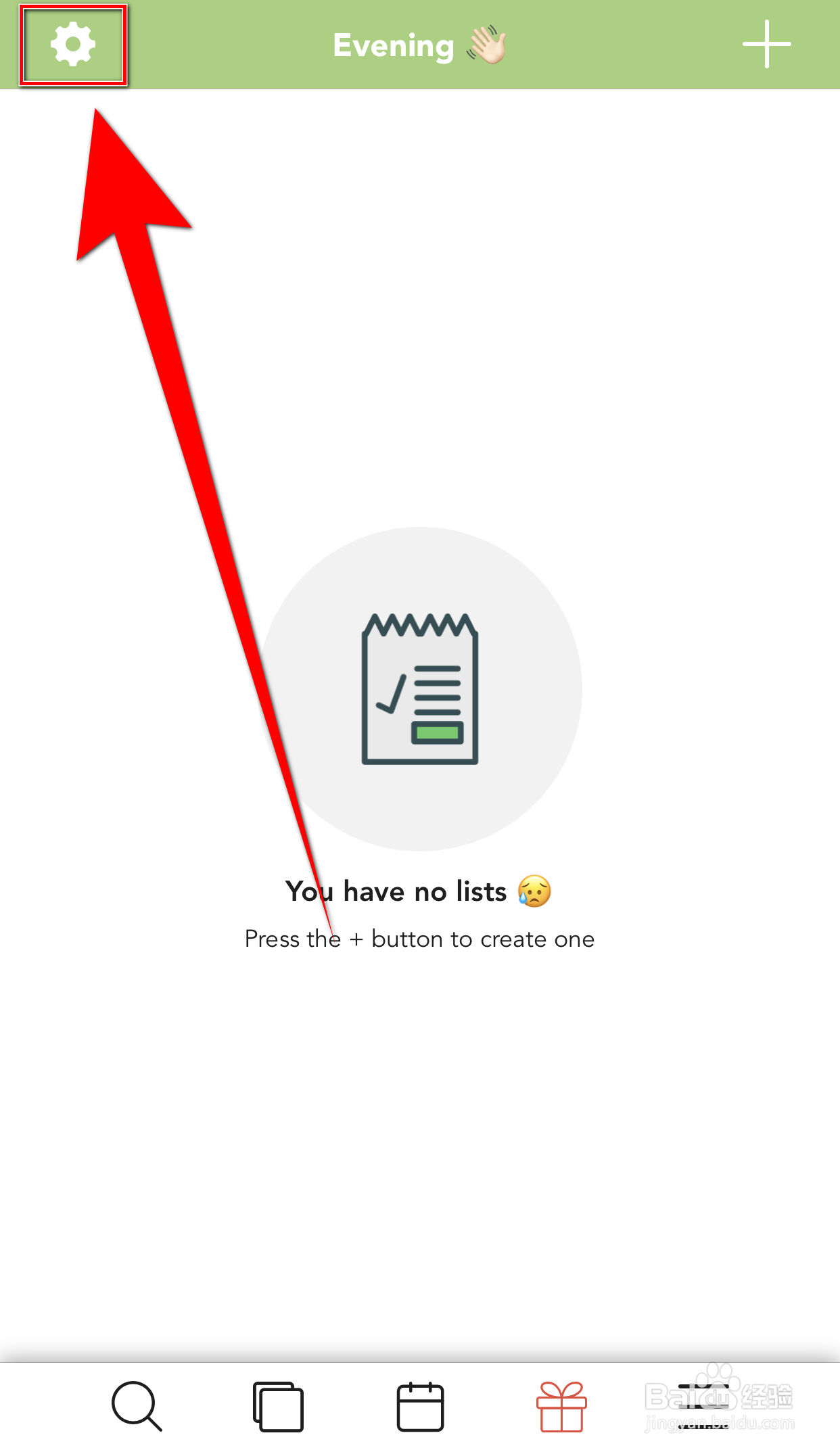
1、手机打开【List To do】,List To do主界面点击左上角的【齿轮】打开设置界面
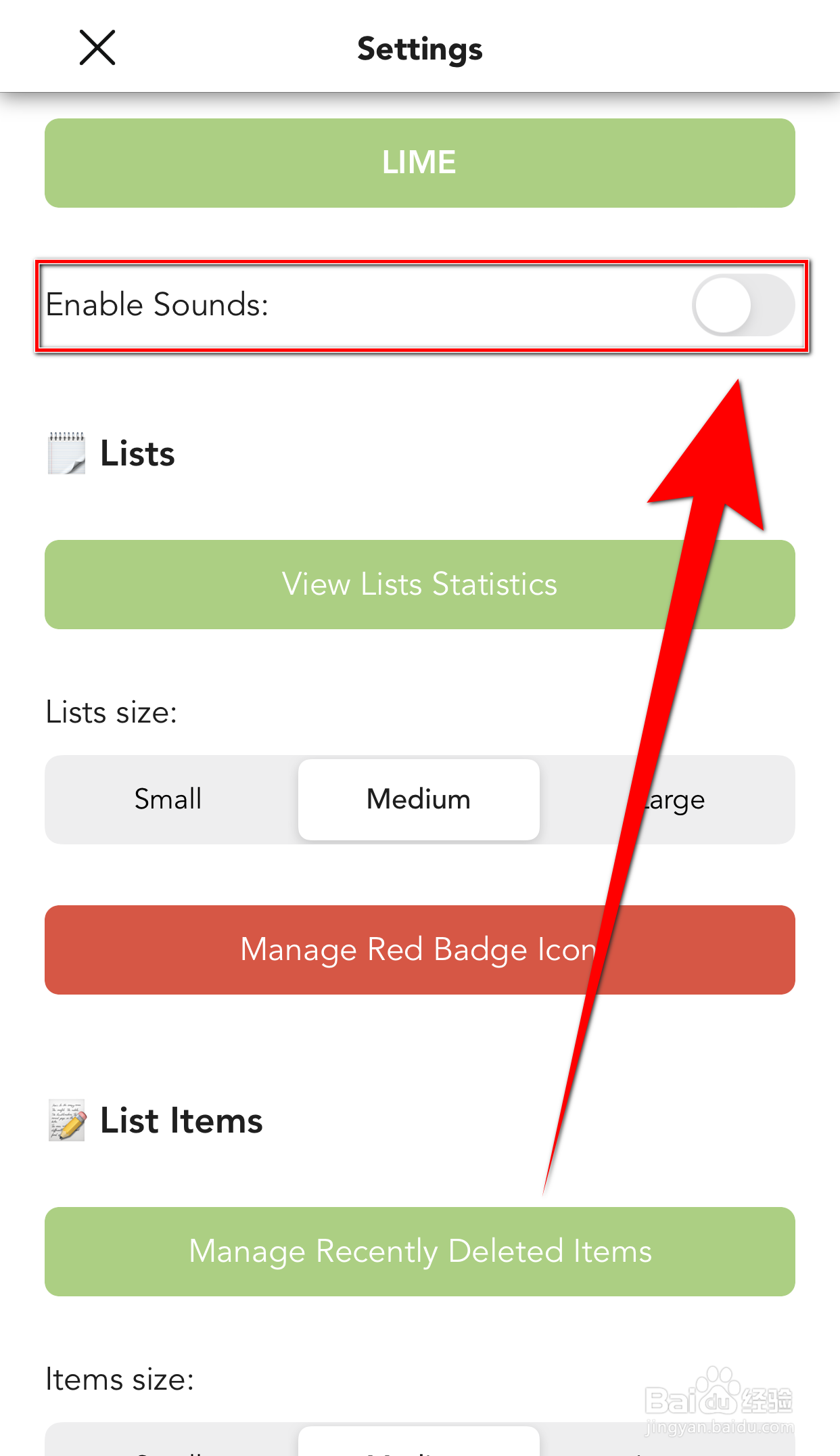
2、设置界面点击【Enable Sounds】后面的圆点
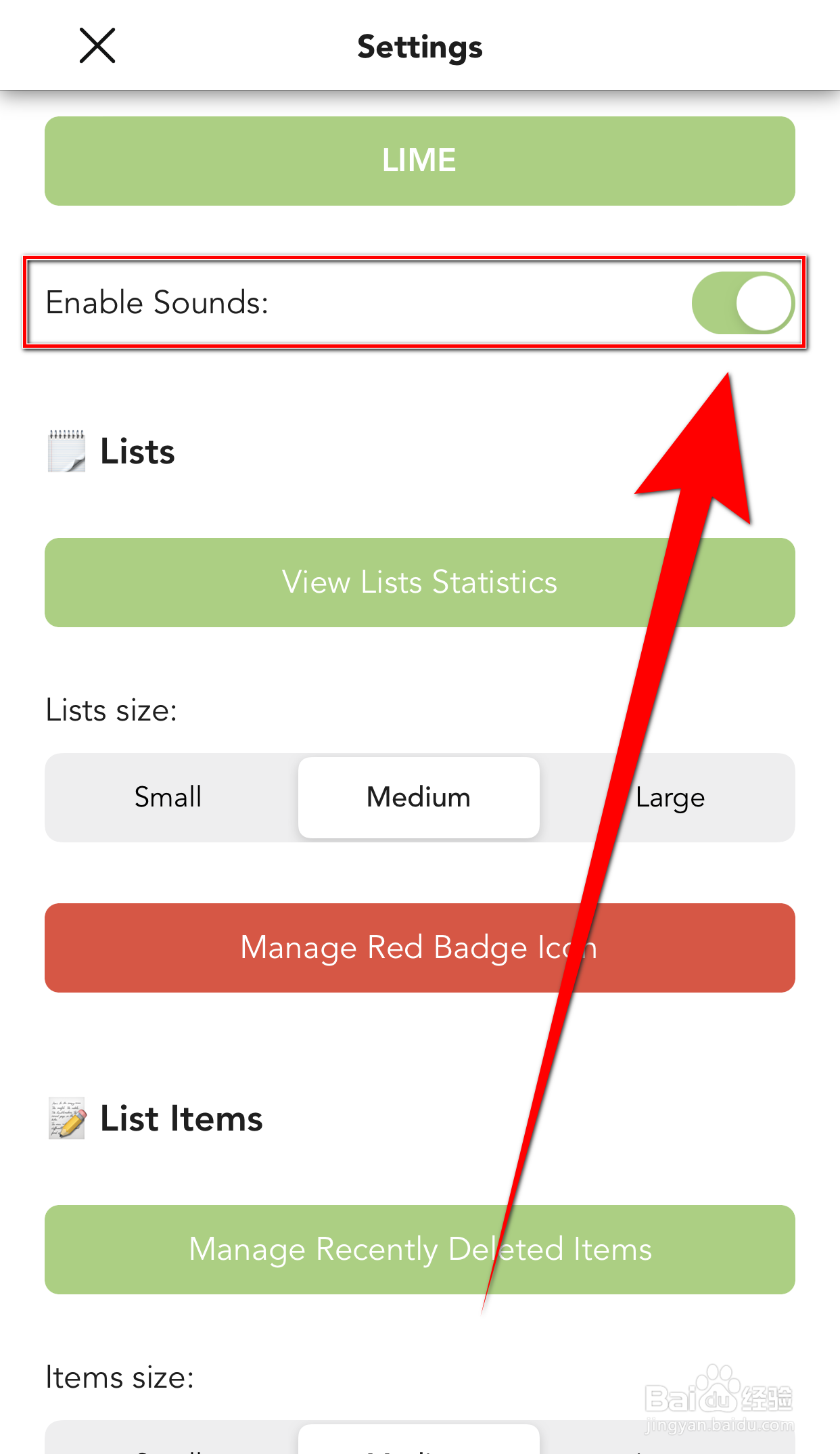
3、【Enable Sounds】后面的圆点变为绿色即表示开启List To Do Enable Sounds成功
声明:本网站引用、摘录或转载内容仅供网站访问者交流或参考,不代表本站立场,如存在版权或非法内容,请联系站长删除,联系邮箱:site.kefu@qq.com。
阅读量:60
阅读量:143
阅读量:51
阅读量:158
阅读量:133