介绍上下滚动动画效果插件jquery.fullPage
1、新建html文档。

2、准备好需要用到的图片。

3、书写hmtl代码。
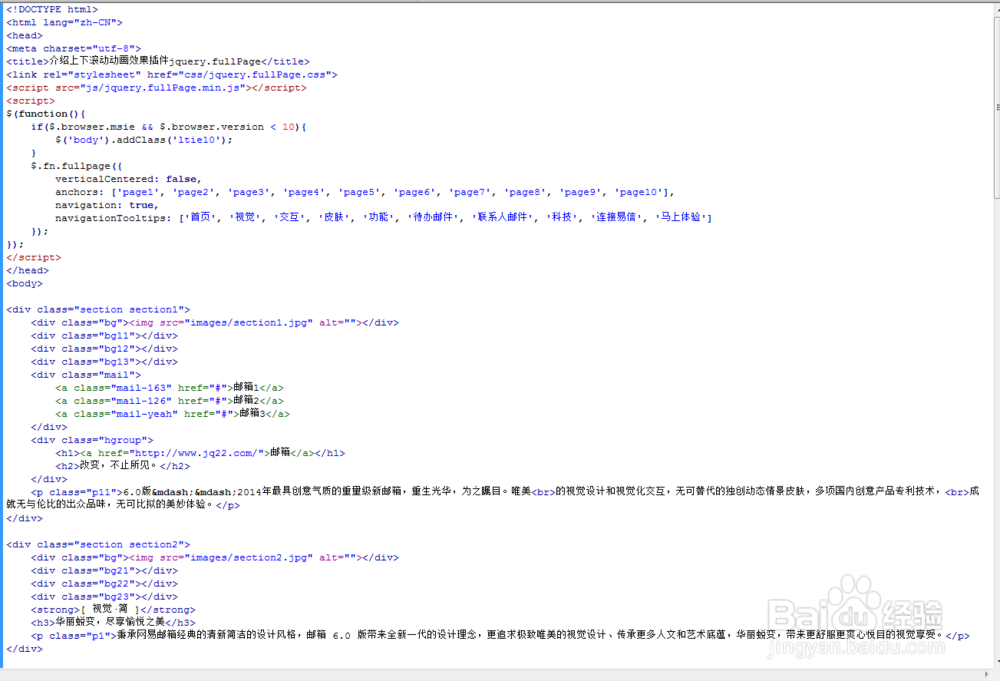
<div class="section section1">
<div class="bg"><img src="images/section1.jpg" alt=""></div>
<div class="bg11"></div>
<div class="bg12"></div>
<div class="bg13"></div>
<div class="mail">
<a class="mail-163" href="#">邮箱1</a>
<a class="mail-126" href="#">邮箱2</a>
<a class="mail-yeah" href="#">邮箱3</a>
</div>
<div class="hgroup">
<h1><a href="http://www.jq22.com/">邮箱</a></h1>
<h2>改变,不止所见。</h2>
</div>
<p class="p11">6.0版——2014年最具创意气质的重量级新邮箱,重生光华,为之瞩目。唯美<br>的视觉设计和视觉化交互,无可替代的独创动态情景皮肤,多项国内创意产品专利技术,<br>成就无与伦比的出众品味,无可比拟的美妙体验。
</div>

4、书写css代码。
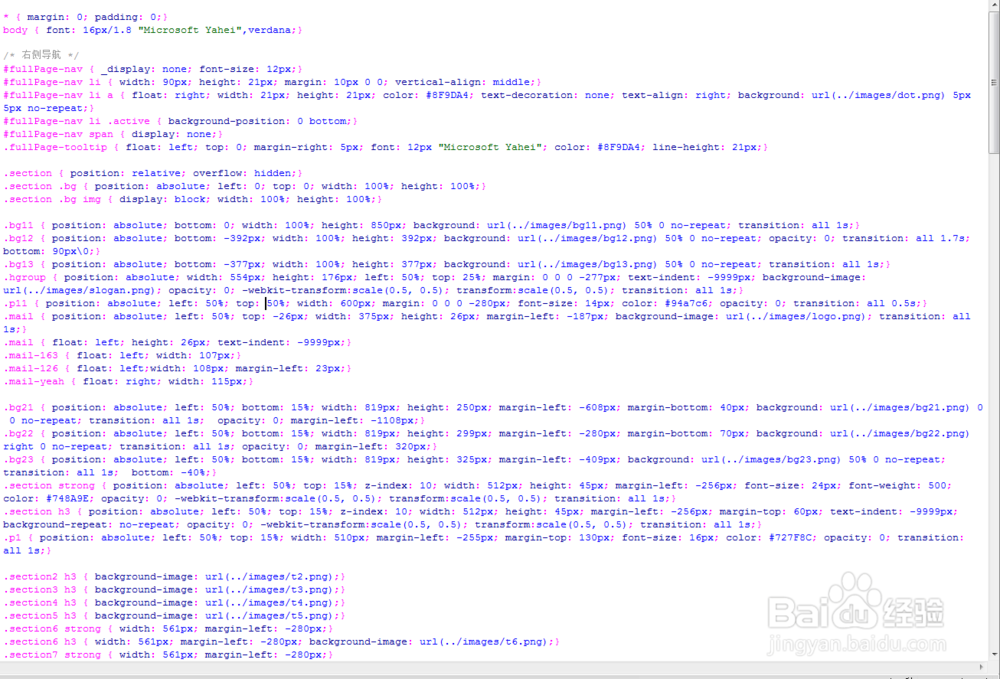
* { margin: 0; padding: 0;}
body { font: 16px/1.8 "Microsoft Yahei",verdana;}
/* 右侧导航 */
#fullPage-nav { _display: none; font-size: 12px;}
#fullPage-nav li { width: 90px; height: 21px; margin: 10px 0 0; vertical-align: middle;}
#fullPage-nav li a { float: right; width: 21px; height: 21px; color: #8F9DA4; text-decoration: none; text-align: right; background: url(../images/dot.png) 5px 5px no-repeat;}
#fullPage-nav li .active { background-position: 0 bottom;}
#fullPage-nav span { display: none;}
.fullPage-tooltip { float: left; top: 0; margin-right: 5px; font: 12px "Microsoft Yahei"; color: #8F9DA4; line-height: 21px;}
.section { position: relative; overflow: hidden;}
.section .bg { position: absolute; left: 0; top: 0; width: 100%; height: 100%;}
.section .bg img { display: block; width: 100%; height: 100%;}
.bg11 { position: absolute; bottom: 0; width: 100%; height: 850px; background: url(../images/bg11.png) 50% 0 no-repeat; transition: all 1s;}
.bg12 { position: absolute; bottom: -392px; width: 100%; height: 392px; background: url(../images/bg12.png) 50% 0 no-repeat; opacity: 0; transition: all 1.7s; bottom: 90px\0;}
.bg13 { position: absolute; bottom: -377px; width: 100%; height: 377px; background: url(../images/bg13.png) 50% 0 no-repeat; transition: all 1s;}
.hgroup { position: absolute; width: 554px; height: 176px; left: 50%; top: 25%; margin: 0 0 0 -277px; text-indent: -9999px; background-image: url(../images/slogan.png); opacity: 0; -webkit-transform:scale(0.5, 0.5); transform:scale(0.5, 0.5); transition: all 1s;}
.p11 { position: absolute; left: 50%; top: 50%; width: 600px; margin: 0 0 0 -280px; font-size: 14px; color: #94a7c6; opacity: 0; transition: all 0.5s;}
.mail { position: absolute; left: 50%; top: -26px; width: 375px; height: 26px; margin-left: -187px; background-image: url(../images/logo.png); transition: all 1s;}
.mail { float: left; height: 26px; text-indent: -9999px;}
.mail-163 { float: left; width: 107px;}
.mail-126 { float: left;width: 108px; margin-left: 23px;}
.mail-yeah { float: right; width: 115px;}
.bg21 { position: absolute; left: 50%; bottom: 15%; width: 819px; height: 250px; margin-left: -608px; margin-bottom: 40px; background: url(../images/bg21.png) 0 0 no-repeat; transition: all 1s; opacity: 0; margin-left: -1108px;}
.bg22 { position: absolute; left: 50%; bottom: 15%; width: 819px; height: 299px; margin-left: -280px; margin-bottom: 70px; background: url(../images/bg22.png) right 0 no-repeat; transition: all 1s; opacity: 0; margin-left: 320px;}
.bg23 { position: absolute; left: 50%; bottom: 15%; width: 819px; height: 325px; margin-left: -409px; background: url(../images/bg23.png) 50% 0 no-repeat; transition: all 1s; bottom: -40%;}
.section strong { position: absolute; left: 50%; top: 15%; z-index: 10; width: 512px; height: 45px; margin-left: -256px; font-size: 24px; font-weight: 500; color: #748A9E; opacity: 0; -webkit-transform:scale(0.5, 0.5); transform:scale(0.5, 0.5); transition: all 1s;}
.section h3 { position: absolute; left: 50%; top: 15%; z-index: 10; width: 512px; height: 45px; margin-left: -256px; margin-top: 60px; text-indent: -9999px; background-repeat: no-repeat; opacity: 0; -webkit-transform:scale(0.5, 0.5); transform:scale(0.5, 0.5); transition: all 1s;}
.p1 { position: absolute; left: 50%; top: 15%; width: 510px; margin-left: -255px; margin-top: 130px; font-size: 16px; color: #727F8C; opacity: 0; transition: all 1s;}
.section2 h3 { background-image: url(../images/t2.png);}
.section3 h3 { background-image: url(../images/t3.png);}
.section4 h3 { background-image: url(../images/t4.png);}
.section5 h3 { background-image: url(../images/t5.png);}
.section6 strong { width: 561px; margin-left: -280px;}
.section6 h3 { width: 561px; margin-left: -280px; background-image: url(../images/t6.png);}
.section7 strong { width: 561px; margin-left: -280px;}
.section7 h3 { width: 561px; margin-left: -280px; background-image: url(../images/t7.png);}
.section8 strong { width: 561px; margin-left: -280px;}
.section8 h3 { width: 561px; margin-left: -280px; background-image: url(../images/t8.png);}
.section9 strong { width: 609px; margin-left: -304px;}
.section9 h3 { width: 609px; margin-left: -304px; background-image: url(../images/t9.png);}
.section9 h3 span { position: absolute; left: -100px; top: -48px; width: 89px; height: 90px; background-image: url(../images/yixin.png);}
5、书写并添加js代码。
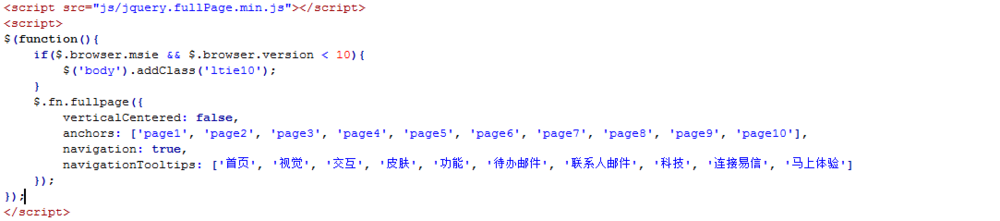
<script src="js/jquery.fullPage.min.js"></script>
<script>
$(function(){
if($.browser.msie && $.browser.version < 10){
$('body').addClass('ltie10');
}
$.fn.fullpage({
verticalCentered: false,
anchors: ['page1', 'page2', 'page3', 'page4', 'page5', 'page6', 'page7', 'page8', 'page9', 'page10'],
navigation: true,
navigationTooltips: ['首页', '视觉', '交互', '皮肤', '功能', '待办邮件', '联系人邮件', '科技', '连接易信', '马上体验']
});
});
</script>
6、代码整体结构。
7、查看效果。